
Backend
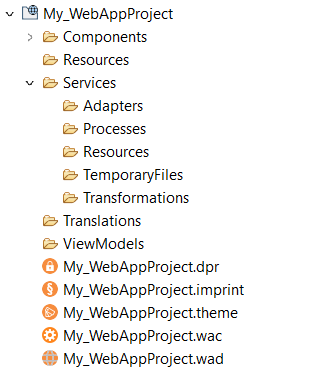
When you create a Web App Project, the following project structure is created in the X4 Designer:
|
|
|
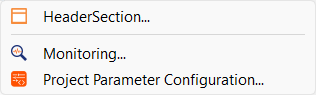
If you right-click the name of the Web App Project, you can create the following files using the New command in the context menu:
|
The Resources, Services, and Translations folders do not contain any additional files immediately after a project is created. The files for the data protection and for the imprint also have no content at first and can be deleted if they are not needed in the project.
Note:
Note that all file resources in the Resources folder are provisioned via HTTP(S) relative to the path of the Web app.
Frontend
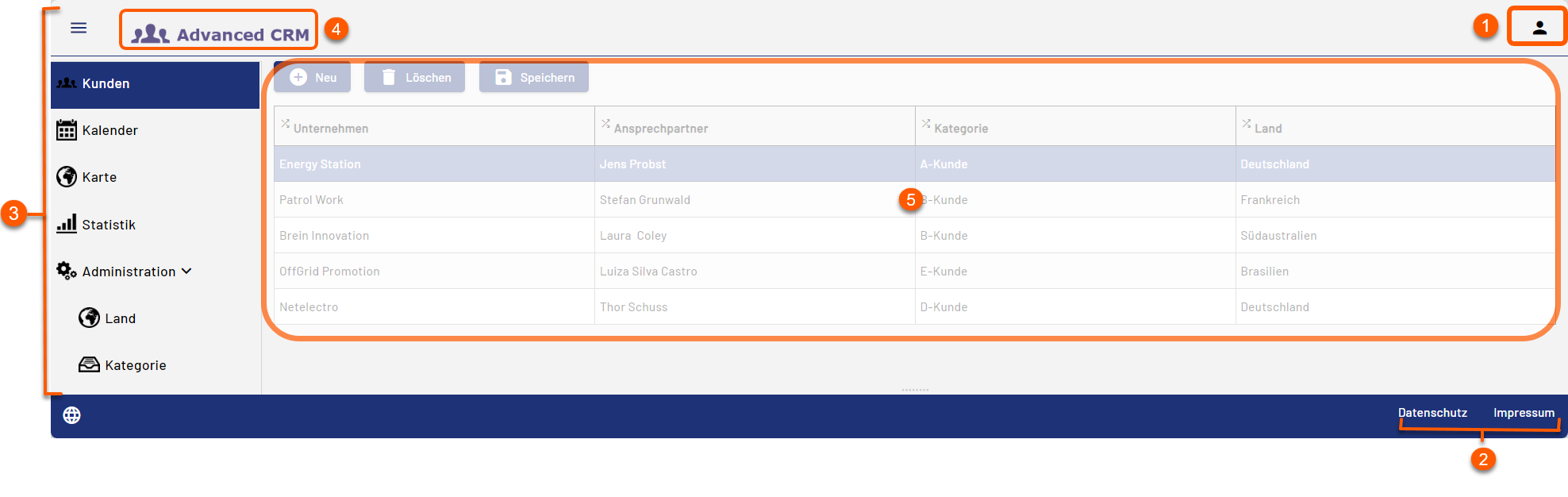
The frontend of a Web App is structured as follows:
|
1 |
User menu Note: Selecting the icon displays the logged-in user and the functions for changing the password and logging out. The user menu is displayed only for Web Apps with the Authorization Flow Authenticated.
|
|
2 |
Automatically generated links to the data protection declaration and the imprint |
|
3 |
Automatically generated menu of the Web App, which is formed from the display names of the components. |
|
4 |
Logo and display name of the Web App Note: If no logo is set in the configuration, the display name of the Web App is displayed here. |
|
5 |
Area for the content of the component. The display depends on the type of component, the layout used and the controls used. |