
For additional information on plugins, refer to:
How to configure the SQL Parameter Storage plugin
-
In the
<server_directory>/configurationsfolder, create the following file:sql_globalparameter_storage_config.xml. -
Insert the following content.
XML<?xml version="1.0"?> <Configuration> <DatabaseConfiguration> <ConnectionString></ConnectionString> <UserName></UserName> <Password></Password> </DatabaseConfiguration> <UseLegacyDatabase>false</UseLegacyDatabase> </Configuration>
-
Enter the required values in the
sql_globalparameter_storage_config.xmlfile.
Database Configuration
|
Element |
Description |
Possible values |
|---|---|---|
|
|
JDBC connection string for the connection to the database For more information, see the official JDBC database documentation.
|
|
|
|
User name for the login to the database |
|
|
|
Password for the login to the database |
|
|
|
Determines whether:
or
|
|
How to install the plugin
If you enable the SQL Parameter Storage plugin, the default properties folder with subfolders in memory will no longer be used:
<server_directory>\wildfly\modules\de\softproject\x4\plugins \globalparameter\properties
Before installing the plugin, delete the properties with contents.
-
Unzip the downloaded
.zipfile with the plugin. -
Copy the
<file_directory>\defolder to the<server_directory>\wildfly\modules\de\softproject\x4\pluginsfolder. -
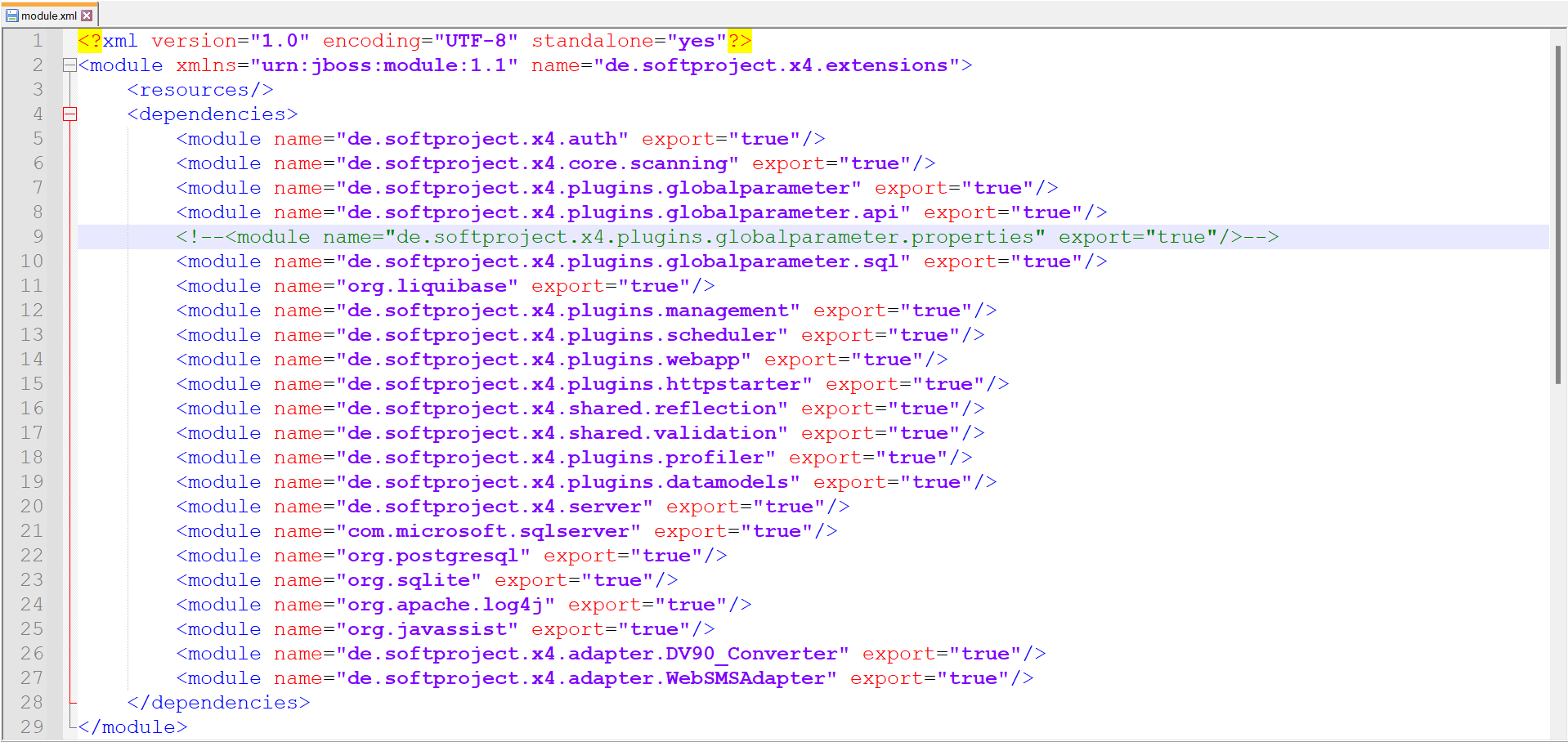
Open the
module.xmlfile in the<server_directory>\wildfly\modules\de\softproject\plugins\main folder. -
Delete the following line from the
module.xmlfile:<module name="de.softproject.x4.plugins.globalparameter.properties" export="true"/>
-
Copy the plugin name into the
<dependencies>tag:<module name="de.softproject.x4.plugins.globalparameter.sql" export="true"/>
The content of the file should be structured in this way:
-
Restart the X4 Server.
The plugin is available after the server restart.