
The Scheduler interface provides an overview of all processes for which scheduled execution has been defined. The interface also provides the ability to configure new scheduled executions and to edit or delete existing configurations.
Note:
The scheduler uses the central worker thread pool. For information on configuring the Worker Thread Pool, see Configuring the Worker Thread Pool .
You can make additional settings in the quartz.properties file. For more information, see Scheduler Configuration (Quartz).
When defining schedules, a distinction is made between the following execution options:
-
ServerStart: Execution of a process at server startup
-
CRON: Execution of a process according to specific Cron patterns
The most important functions of the Scheduler are:
-
Overview of existing schedules
-
Create/edit any number of execution points and intervals per process
Creating a Scheduler
Note:
-
The Scheduler can only be created in BPM and ESB projects.
-
Only one Scheduler can be created in a project.
-
In the Projects view, right-click on a project.
-
Select New > Schedule from the context menu.
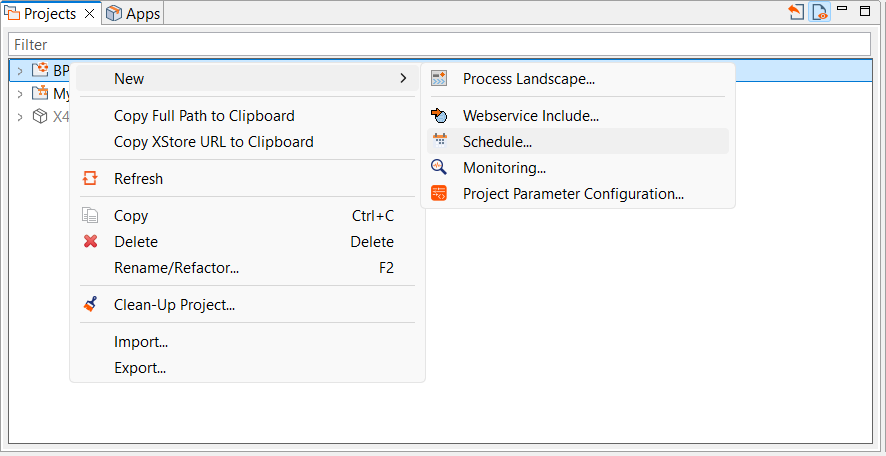
⇨ The Scheduler is created and opened.
More information: