
Withh Activity components,ts, you ddeffine an activity wwithin a process. The activity typee and its executiocution behavior are determirmined by corr by corresposponding proppropertieies. Dependinng on the use case , an Activity componentt can be used to linkink Technical Processes or othher Business Processes as subprocesses.
Howw to insnsertrt an activity
Previous stepep: Defining the Start Element
-
Drag thehe

Activityelementt fromom the Palette view nexext to theto the
Timer Startelementelement in the ttop lane of the pool. -
In the Label ffield in the Properties viview, defw, define a new name for the
Activity,, e.g.ImportInvoices. -
Select Script as the the Activity type in the Properties view to dto deffinee a script for automating the step.
You can allsoo link k the corresposponding script or technical process to the ittemm at a later time. For more information on hohow to create the Technical Process rrequiquired for this exexample, see Example: ESB Project and its subpages.
-
Click on the lowerr right

Timer Startelement,nt, holhold down the mouse buttotton, and dragag a connection to thehe ImportInvoicesactivity activity.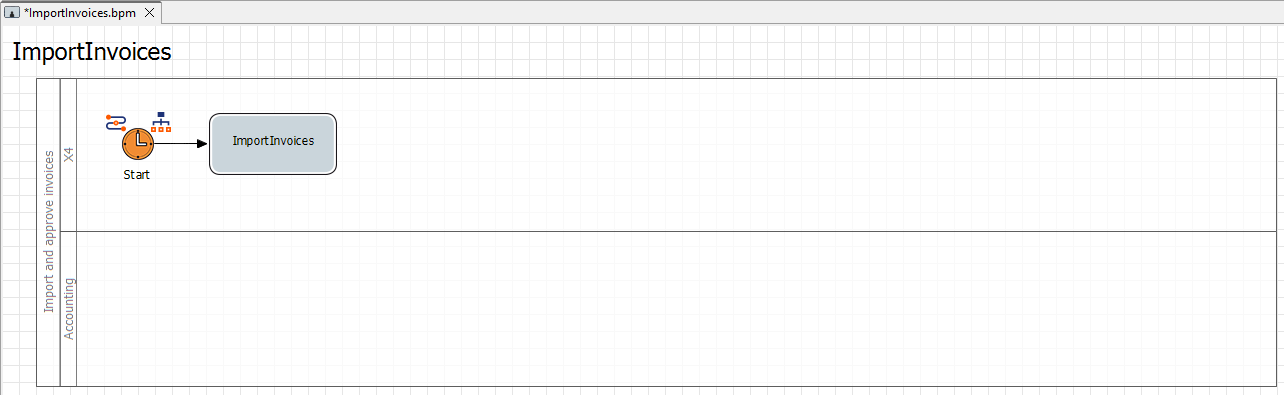
Next step: Inserting the First Intermediate Event