
X4 Produktdokumentation

Condition


symbol_condition_32.png

Condition: Makes case distinctions based on branches within the process, whereby each underlying branch is executed if the condition is true.


Properties

Label

Free text area to set a label for the condition

Condition

Execution condition (set automatically). Double-click the connection line (transition) to set conditions.

Rotation

Rotation of the Condition component on the workplace in degrees to display the process flow correctly depending on the horizontal or vertical process layout (also from left to right or from bottom to top)

Possible values:

  • 0: no rotation (default)

  • 90: rotated by 90°

  • 180: rotated by 180°

  • 270: rotated by 270°


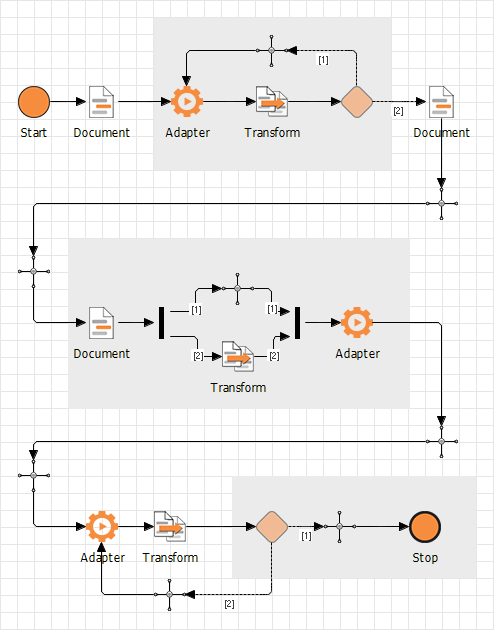
In loops, place a Connection component between the Condition component and the return to the first loop component. Also, place a Connection between a Condition component and an immediately following Stop component.
connection.png