
Use the Adapter Editor to configure the parameters for X4 BPMS standard adapters.
To access the Adapter Editor, create a new adapter file (.fa) or open an existing adapter file.
Structure of the Adapter Editor
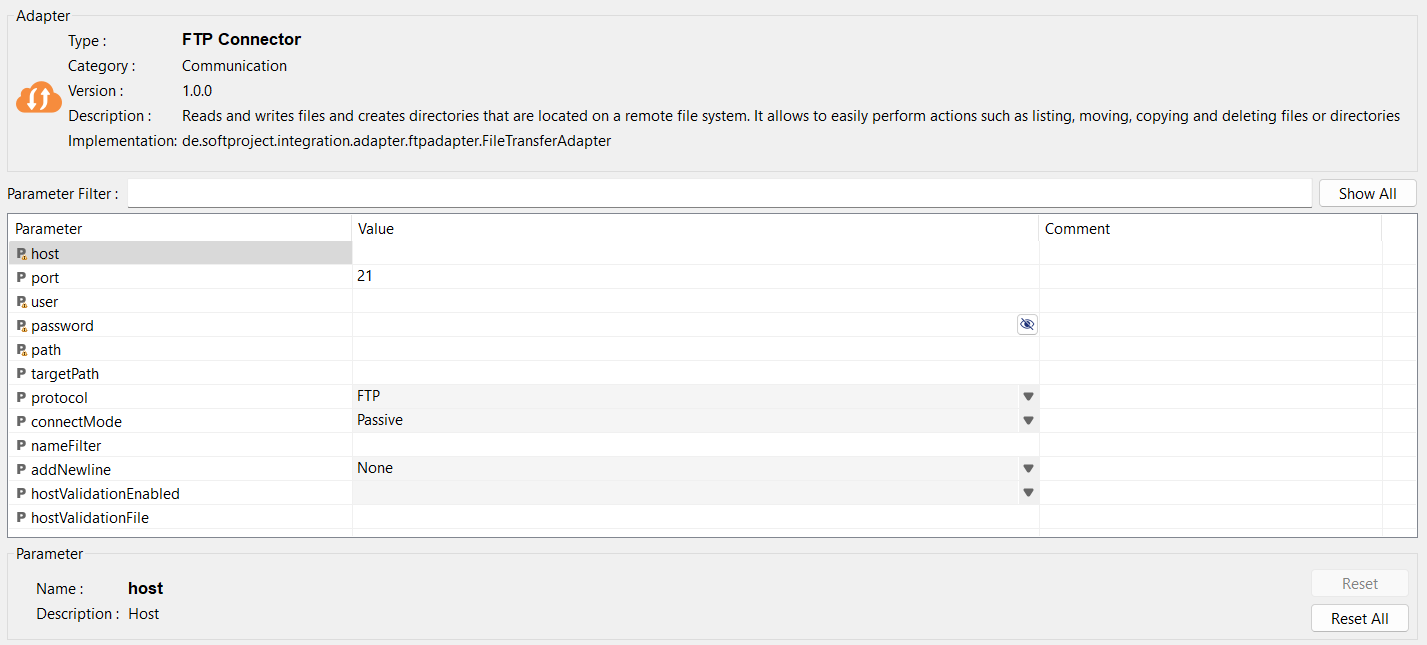
The Adapter Editor is divided into the following sections:
|
Adapter |
In this section, you will see the following information about the adapter:
|
|
Parameter Filter |
You can filter the adapter parameters to provide a clear representation of the parameters you need for adapters with numerous parameters. Show All: Reset the filter and display all parameters |
|
Parameter table |
In this section, you will see all parameters for the adapter. Here you can set values and enter comments. Note: The HTTP(S) Connector supports the display of parameters in multiple tabs: 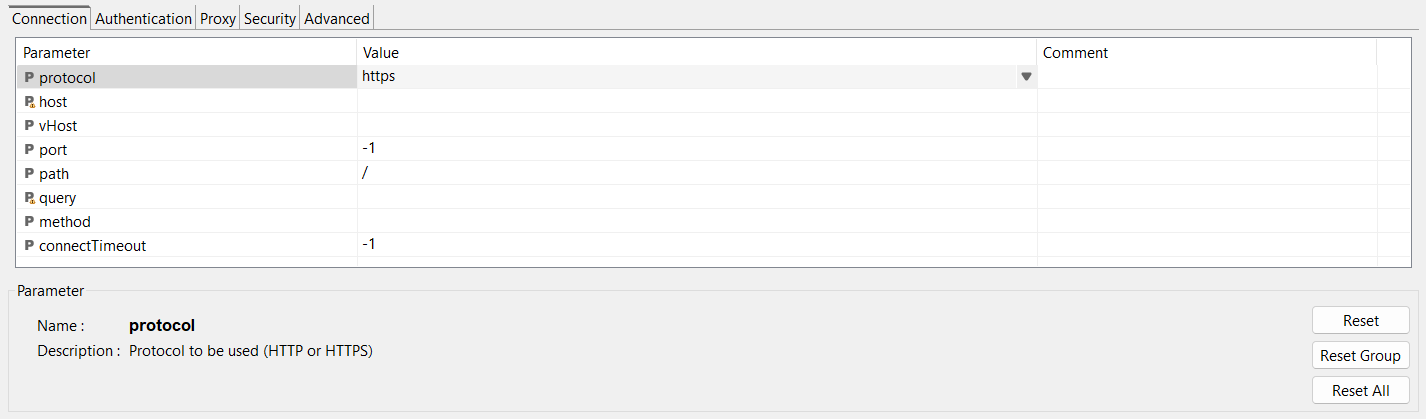
The reset buttons have the following function: Reset: Reset the selected parameter to the default value Reset Group: Reset the parameters in the selected tab to the default value Reset All: Reset all parameters of the adapter to the default value |
|
Parameters |
In this section, you will see the following information about the selected parameter:
|