<RichText> controls can be used to provide users of a Web App with a WYSIWYG interface for editing HTML content.
Instructions for use
A <RichText> control is created with the <RichText> element.
<RichText>
...
</RichText>
<RichText> controls can be used in all available layout types. For more information, see Layouts.
Attribute
Note:
There are a number of default attributes that can be set for all controls. For more information about the default attributes, see Default attributes.
In addition to the default attributes, you can define the following attributes for <RichText> controls.:
|
Attribute |
Description |
|---|---|
|
|
Content to be edited using the rich text editing controls. The value you specify in the
Possible values: Any string |
|
|
Specifies whether the rich text editing controls are displayed in the Web App.
Possible values:
|
|
|
Content to be edited with the rich text controls. This attribute is mandatory but does not need to contain a value. If you do not specify a
Possible values: Any string |
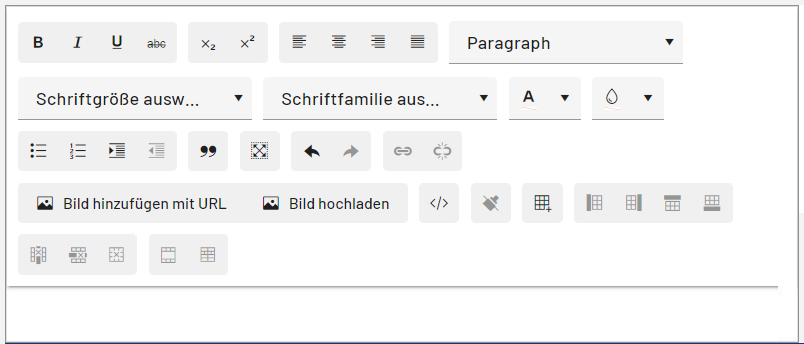
The following rich text editing controls are displayed:
Export rich text content as PDF
If you add the <PDFExport> element within the <RichText> control, the