
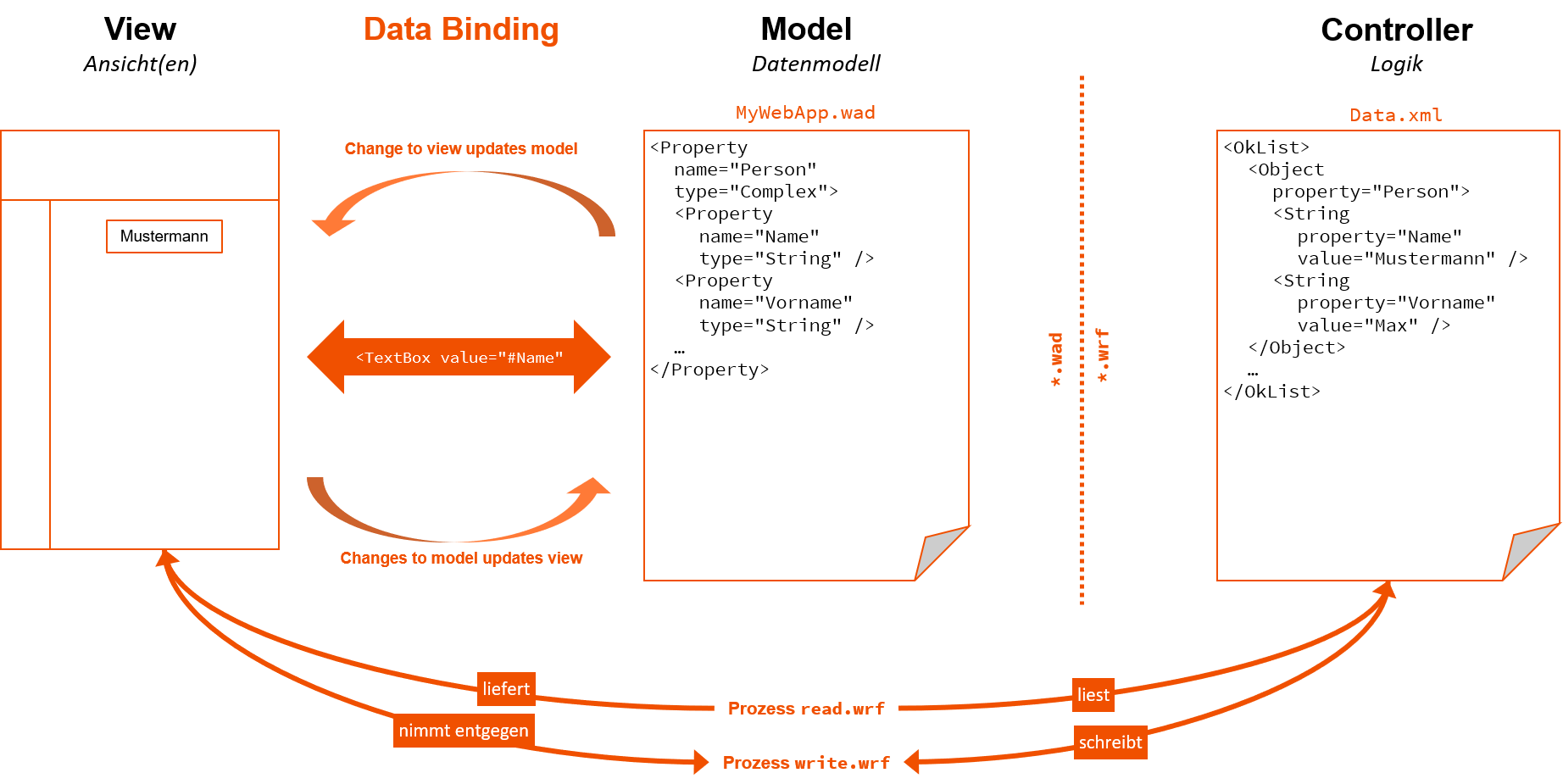
Data Binding is a mechanism for synchronizing data between objects and UI elements to display data and affect the behavior of controls. Usually, data is passed from a data object (such as a customer list) to a control on the user interface (such as a table) and vice versa. If this mechanism is used, it is not necessary to use a loop for each object in the data set, but rather the control detects how many objects are present and automatically adjusts. If changes are made by the user in the control, they can be returned to the dataset.
Data binding uses the name attributes of the elements.
Data binding example
<DetailComponent name="DetailExample" path="DetailExample" displayName="Detail example">
	<Properties>
		<Property name="Example" type="String" />
		<Property name="Example2" type="Complex">
			<Property name="Internal" type="String" />
			<Property name="Visible" type="Boolean" />
		</Property>
	</Properties>
	<FlowLayout>
		<Label value="#Example" />
		<Checkbox checked="#Example2.Visible" displayName="Visible" />
		<Label value="#Example2.Internal" visible="#Example2.Visible" />
	</FlowLayout>
</DetailComponent>
The example shows the usage of data binding. The value attribute of the <Label> control allows data binding, so the property name can be used with a leading # character. The path mechanism is used to ensure access to subproperties of List or Complex properties. A dot (.) is used as a separator between path segments.
One of the properties (Example2.Visible) is used to define whether the checkbox is selected and as a value for the visible attribute of the second label. This makes it possible to control the visibility of the second label using the checkbox: If the value of the checkbox changes (selected or not selected), the data binding mechanism updates it at each point.
If a # character is to be used in the data binding expression, it must be masked. The backslash (\) is used as the masking character.
Example: \#123456