
This preconfigured X4 Web App allows users to modify the parameters defined for X4 BPMS processes at run time. For example, colors, fonts, and other configurations can be changed without restarting the application. This makes it easy to customize Web Apps to suit a company's design preferences.
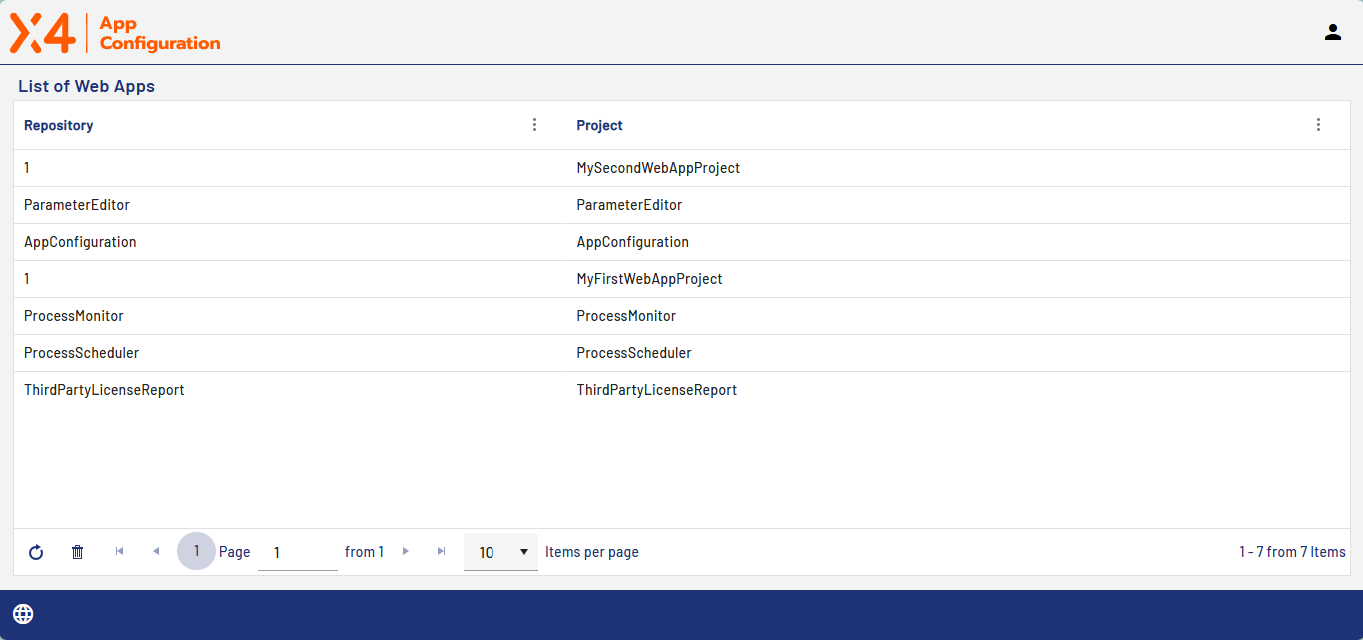
When you open the app, a list of Web Apps that exist in the running instance of the X4 BPMS is displayed. This includes the preconfigured X4 Web Apps and all the Web Apps you create yourself in X4 Designer.
The list shows the workspace in which the project is stored. You will also see the name of the project.
When you create a new Web App in the X4 Designer or change the name of a Web App, you can refresh the display in the App Configuration.
From the Home screen, select the Web App you want to configure to open the project configuration with the Configuration, Colors, and Fonts tabs.
More information