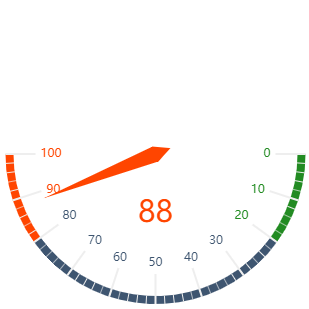
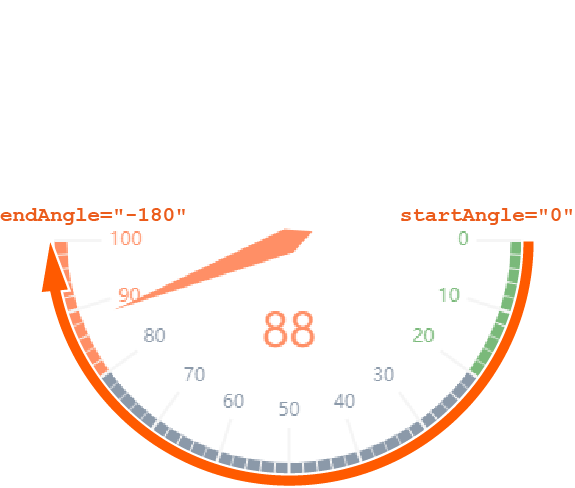
A tachograph can be used to display states with different ratings. It is well suited to compare target/actual values, e.g. for key performance indicators, customer satisfaction, or quality measurements.
A tachograph can contain the following elements:
-
<Gauge>: Defines how the chart is displayed. -
<Tooltip>: Child element of<Gauge>. Defines how the tooltip for each value should be displayed in the chart.
General attributes
The following attributes are available for all elements of a Tachograph:
|
Attribute |
Description |
|---|---|
|
|
Specifies the font family.
Possible values:
|
|
|
Sets the font size.
Possible values:
|
|
|
Defines the width of each character. This attribute overrides the default character width for this layout. Possible values:
This attribute does not work for the |
|
|
Defines the tilt of the font. This attribute overrides the default font tilt for this layout. Possible values:
|
|
|
Defines the font weight. This attribute overrides the default font weight for this layout. Possible values:
This attribute does not work for the |
|
|
Defines the font color. This setting overrides the default color of the color scheme!
Do not use a hash before the color value!
|
<Gauge> :
<Gauge>: Defines how the chart is displayed.
In addition to the general attributes, <Gauge> can have the following attributes:
|
Attribute |
Description |
|---|---|
|
|
Specifies the end range of the tachograph in percent. The color of the area is defined in the Theming Editor via the Possible values: Integer between Example The default values ( |
|
|
Specifies the center portion of the tachograph in percent. The color of the area is defined in the Theming Editor using the Possible values: Integer between |
|
|
Specifies the starting range of the tachograph in percent. The color of the area is defined in the Theming Editor using the Possible values: Integer between |
|
|
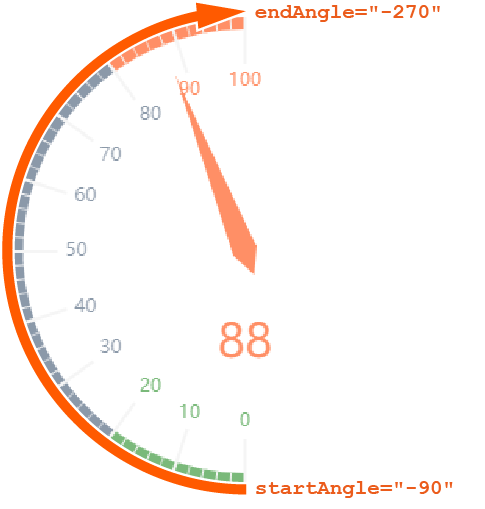
Specifies the endpoint of the tachograph. Possible values: Integer between
|
|
|
Specifies whether to display a legend. Possible values: |
|
|
Specifies the maximum value of the tachograph. Possible values: Integer (default: |
|
|
Specifies the minimum value of the tachograph. Possible values: Integer (default: The connection from |
|
|
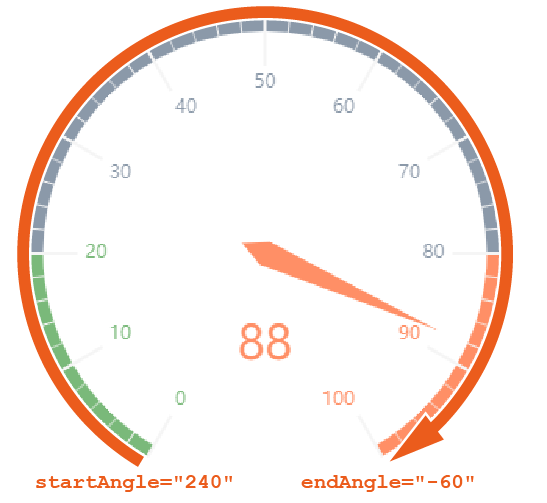
Specifies the start point of the tachograph. Possible values: Integer between When defining values, the following integers correspond with the following positions on a clock:
|
|
|
Specifies which value of the data object is visualized. Possible values: Any string or data binding |
Tooltip
<Tooltip>: Child element of <Gauge> . Defines how the tooltip for each value should be displayed in the chart.
For <Tooltip> , you can define the general attributes (see above).
Examples
Example 1:
<Properties>
	<Property name="DataSource" type="Complex">
		<Property name="Satisfaction" type="Integer"/>
	</Property>
</Properties>
<FlowLayout>
	<Chart fontFamily="Font03" title="Employee Satisfaction">
		<Gauge  max="0" min="100" value="#DataSource.Satisfaction">
			<Tooltip fontFamily="Font02" fontSize="12"/>
		</Gauge>
	</Chart>
</FlowLayout>
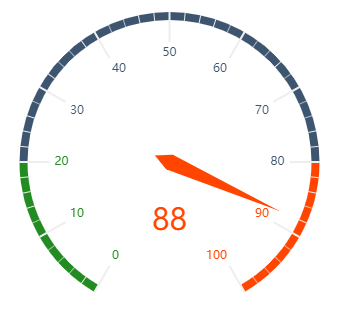
The example above results in the following chart:
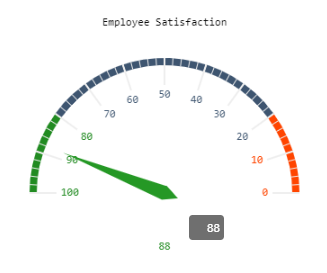
Example 2:
<Property name="Datasource" type="Complex">
    <Property name="gauge" type="Integer"/>

...
...
...
</Property>

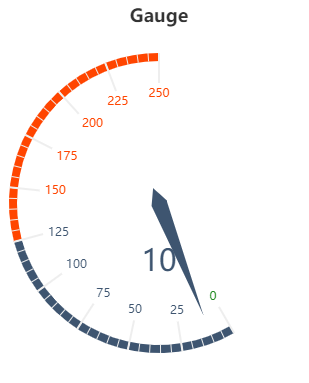
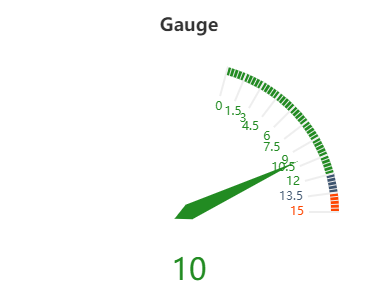
<Chart title="Gauge">
    <Gauge value="#Datasource.gauge" min="0" max="250" startAngle="-60" endAngle="-270" axisMin="0" axisMiddle="50" />
</Chart>

<Chart title="Gauge">
    <Gauge value="#Datasource.gauge" min="0" max="15" startAngle="75" axisMin="80" axisMiddle="90" />
</Chart>

<Chart title="Gauge">
    <Gauge value="#Datasource.gauge" min="-1" max="250" startAngle="120" />
</Chart>
The example above results in the following charts:
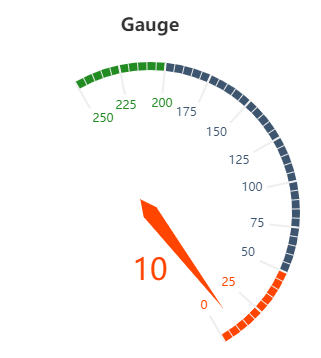
How it works and other examples of tachographs
For tachographs, the following must be observed:
-
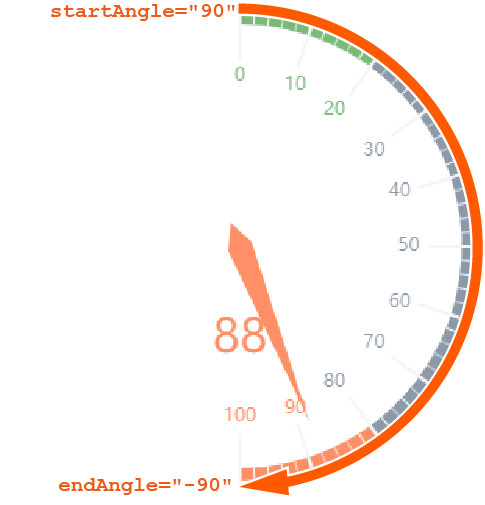
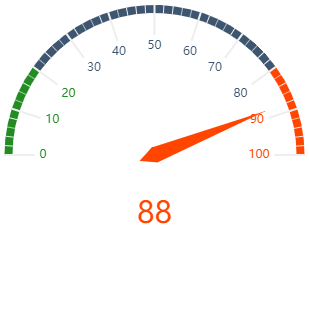
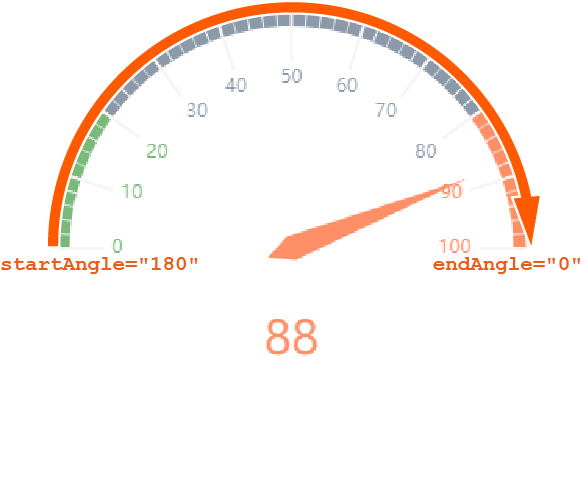
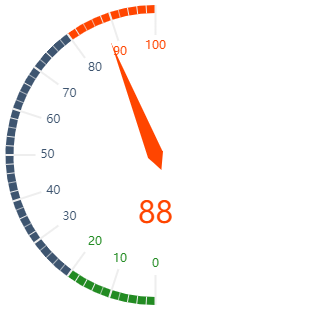
endAnglemust be smaller thanstartAngle. -
The connection from the start angle to the end angle is always clockwise.
-
The connection from
mintomax(scale) is always clockwise.
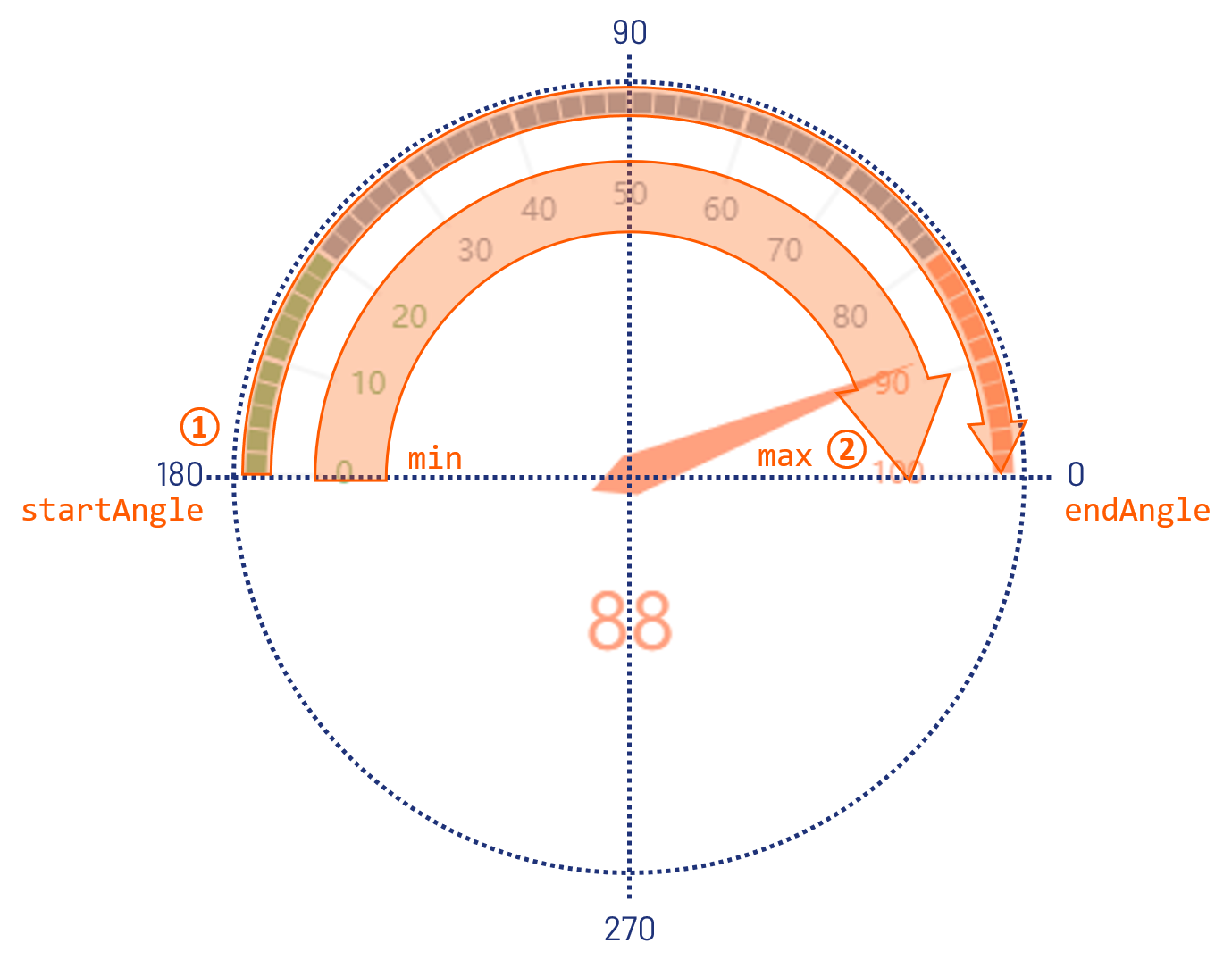
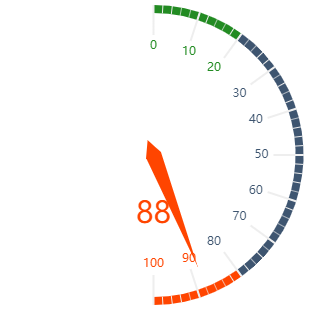
The following are further examples of tachograms with explanations to illustrate the function of the start and end angle.
|
Definition |
Result |
Explanation |
|---|---|---|
|
|
|
|
|
|
|
|
|
|
|
|
|
|
|
|
|
|
|
|