
In Keycloak, you can set different password policies.
-
Open the Keycloak Administration Console.
-
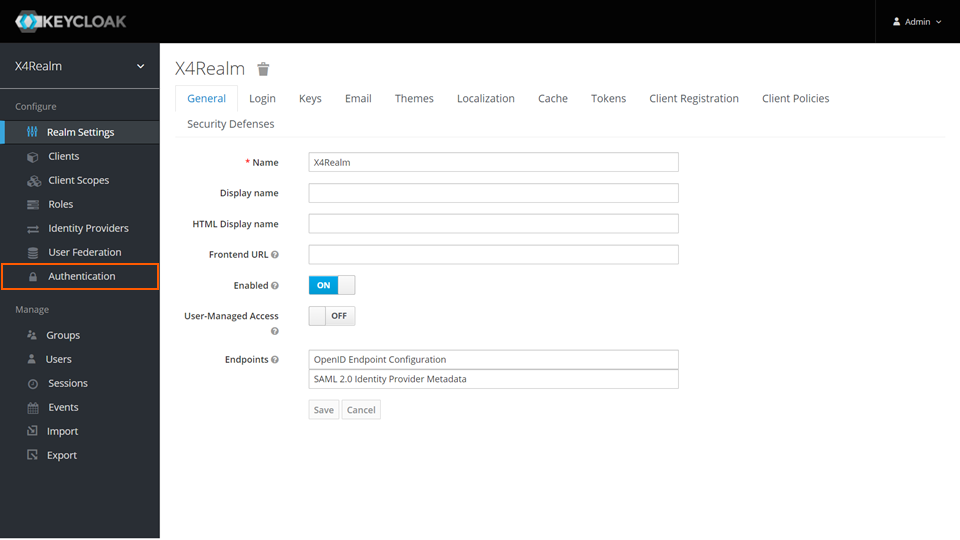
In the Configure section, click Authentication.
-
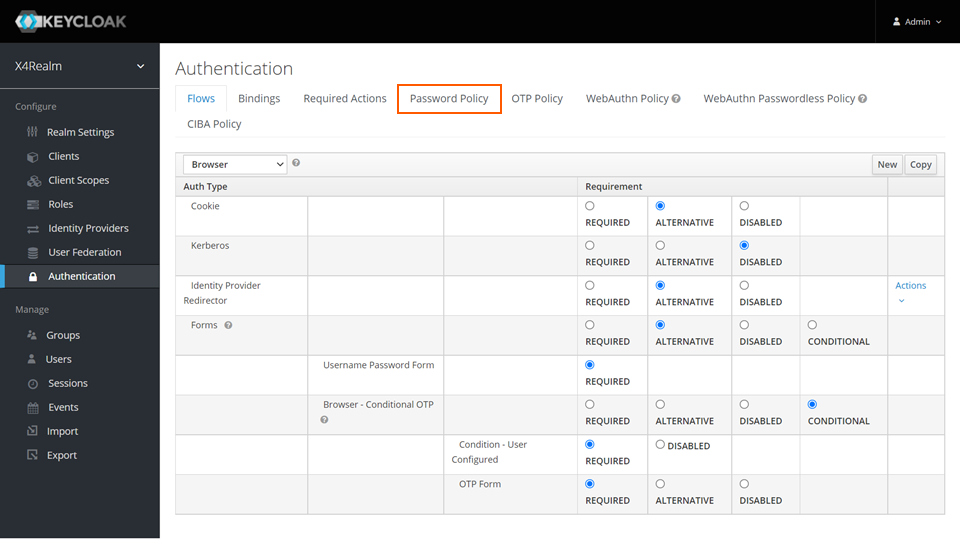
Switch to the Password Policy tab.
-
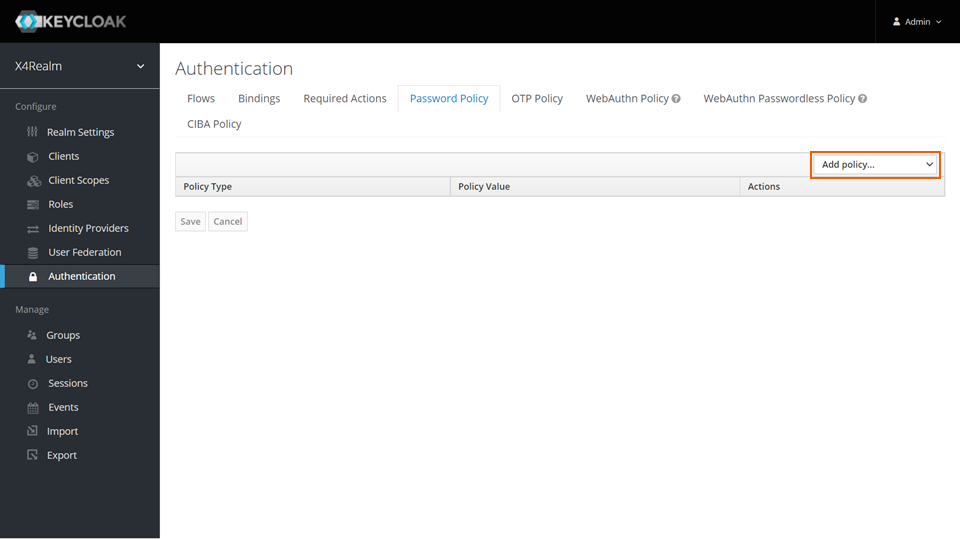
From the Add policy drop-down list, select the password policies you want to add.
-
Click Save.
For more information, see https://www.keycloak.org/docs/latest/server_admin/#password-policy-types.