
In this step, you specify the execution conditions for each execution branch of the exclusive gateway. These execution conditions determine how the data is handled when one of the case states defined in the rule is set: Either the invoice is automatically forwarded or must be manually checked.
How to set execution conditions
-
Double-click the

TheCondition Editoropens. The connection between the Exclusive Gateway (Forking)element and theCreateTransferRequestactivity is automatically selected and highlighted in red in the Condition Editor. -
Enter the following condition in the Edit Condition section:
If result ofCASE_STATEis=Approved - automatically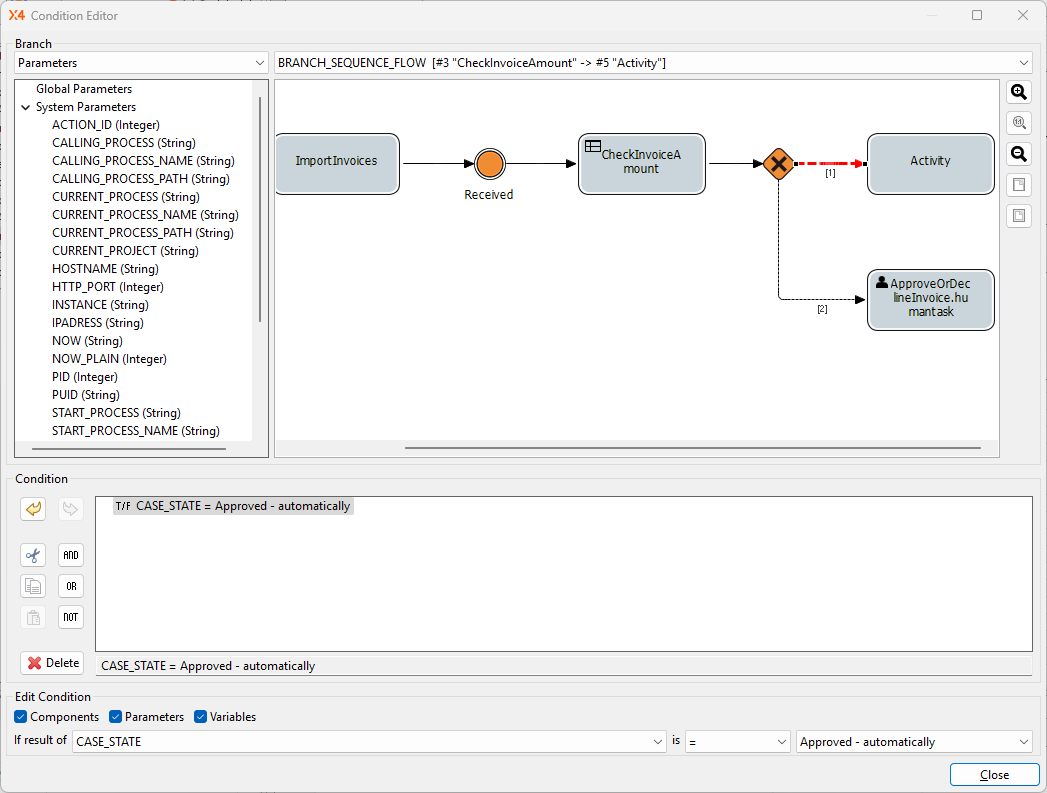
-
Click the connection between the
Exclusive Gateway (Forking)element
Human Taskactivity in the Condition Editor. -
Enter the following condition in the Edit Condition section:
If result ofCASE_STATEis=Approved - automatically -
Click Close.
-
Click

Next step: Creating and Defining a Human Task