
You can move elements within the repository. If desired, the references to the moved file can be automatically adjusted in other processes.
-
Move the resource to the desired location in the repository.
Projects have a predefined structure so that the inserted files can only be stored in the predefined folder, see also The Structure of ESB Projects.
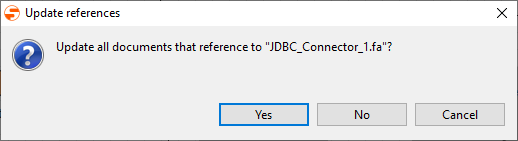
The Update references window opens.
-
If you want to change all references to the moved file or folder:
-
Click Yes.
The ConfirmMove window opens. Displays which elements in the repository are using the moved file.
-
Click OK to make the desired changes.
When moving XSL mappings with referenced input and output XML documents/schemas, these file references must be manually adjusted if their relative paths have changed.
-
-
If you do not want to update the references: Click No.
Tip
You can also select and move multiple files by pressing the Ctrl/Alt keys. The Update references window is then displayed for each file. You will also be able to choose:
-
Yes To All: Update references for all files to be moved.
-
No To All: Do not update all references.