
You can define the adapter interface in the adapter definition file (.nad). The available adapter operations are specified using technical processes.
-
Create an adapter project, see Creating Adapter Projects.
-
Open the
<Projectname>.nadadapter definition file by double-clicking it.
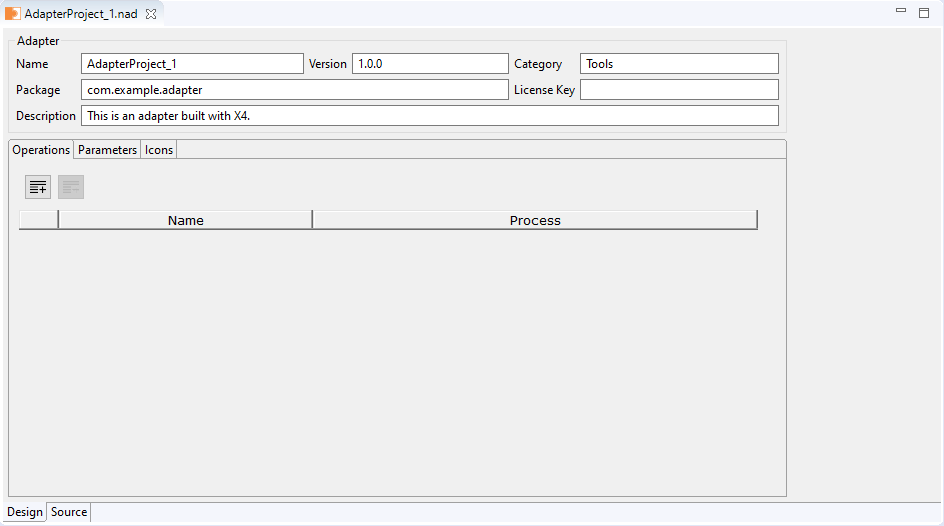
An editor for defining the adapter interface opens.
-
Define the general adapter settings within the Adapter area. The following settings can be made:
-
Name: Adapter name
-
Version: Adapter version
-
Category: Adapter category, e.g. Tools
-
Package: Name of the WildFly module to be provided.
This setting is relevant when using the option Package as Adapter.
-
License Key: Adapter license key
-
Description: Adapter description
-
-
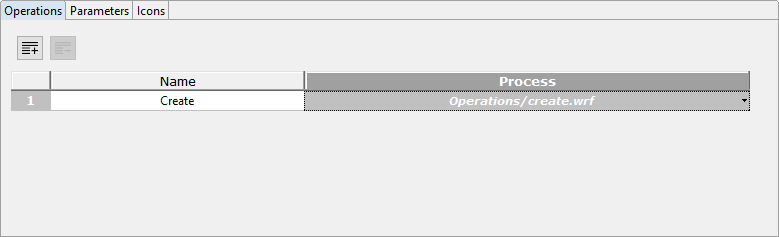
On the Operations tab, add any number of adapter operations via Add:

Each operation has to be linked to a technical process.-
To delete an operation select the row and click Remove:

-
Newly created processes are updated automatically.
-
-
Select for each operation the corresponding technical process from the
Operationsfolder.
-
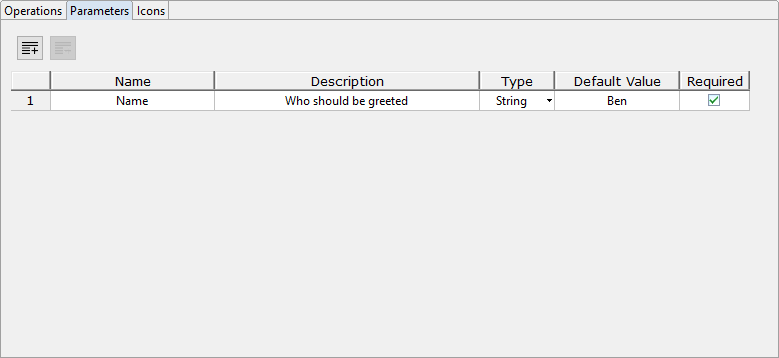
On the Parameters tab, add any number of adapter parameters via Add:
-
Define the adapter parameters. The following settings can be made:
-
Name: Parameter name
-
Description: Parameter description
-
Type: Parameter type
-
String: For strings
-
Number: For numbers
-
Boolean: For Boolean values
-
Combo: For drop-down lists
Names and values for possible options of a combo box can be created in the Combo Options. The Combo Options are displayed automatically when the Combo type is selected for a parameter.
-
Password: For passwords
Values with the password type are not in plain text and cannot be copied.
-
-
Default Value: Default value of the parameter
-
Required: Information, whether a parameter is mandatory or optional
The parameters will be available within technical processes as the
PARAM_INPUT_<Name>placeholder.
-
-
On the Icons tab, define images from the
Iconsfolder as adapter icons.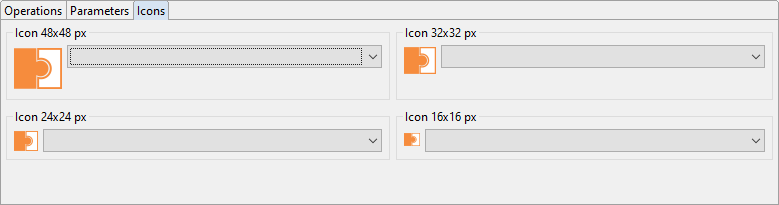
Newly added icons are loaded automatically.
-
Save the adapter definition.