
Debugging processes that contain one or more native adapters is the same as debugging processes with preconfigured adapters. For more information, see Debugging and Running Processes.
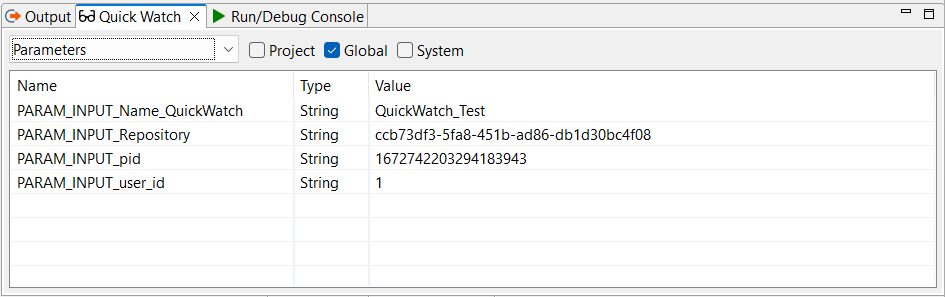
When you debug a process that contains a native adapter, the Quick Watch view also displays the input parameters of the native adapter. You can recognize the input parameters by the prefix PARAM_INPUT in front of the parameter name.
How to view native adapter parameters in the Quick Watch view:
-
Select Parameters from the drop-down list to display all parameters.
If you want to further narrow down the displayed parameters, select the appropriate checkbox. For example, select Global to display only global parameters. The input parameters of native adapters belong to the category of global parameters.
Additional information:
-
Section Views in the section describing the X4 Designer interface
-
Creating Parameters section in the Creating and Modeling Processes chapter