
If the included Keycloak installation is to be replaced with a custom Keycloak installation, a Keycloak configuration file (keycloak_config.json) must be created in the server directory under \configurations.
Example
{
  "connection": {
    "realm": "X4Realm",
    "auth-server-url": "https://servername:8443/auth/",
    "resource": "X4",
        "ssl-required": "none",
        "confidential-port": 443,
    "credentials": {
      "provider": "legacy",
      "legacy": "XXX",
      "secret": "XXX"
    }
  }
}
The configuration file contains the following elements:
|
Element |
Description |
|---|---|
|
|
Parent block with all connection parameters |
|
|
Name of the realm used for the connection |
|
|
URL of the authentication server that is used to log in (this is http://localhost:8085 when the all-in-one installation package of X4 BPMS is shipped). |
|
|
Name of the client that logs on. |
|
|
Specifies whether SSL/TLS is required for the connection. This element is optional and can be used in the exceptional case that communication between X4 and Keycoak is to take place without HTTPS. |
|
|
Port where Keycloak is externally available. This element is optional and can be used in case Keycloak is running behind a reverse proxy server. |
|
|
Block of credentials for authentication |
|
|
Credential provider used |
|
|
Legacy provider used |
|
|
Client secret/password for authentication |
The following roles must be created in Keycloak:
|
Role |
Description |
|---|---|
|
x4_admin_access |
Grants access to the X4 ReST API. |
|
x4_control_center |
Grants access to the X4 Control Center in the future. |
|
x4_dev_access |
Grants access to the X4 Designer. |
|
x4_dev_access_* |
Grants access to all X4 repositories. |
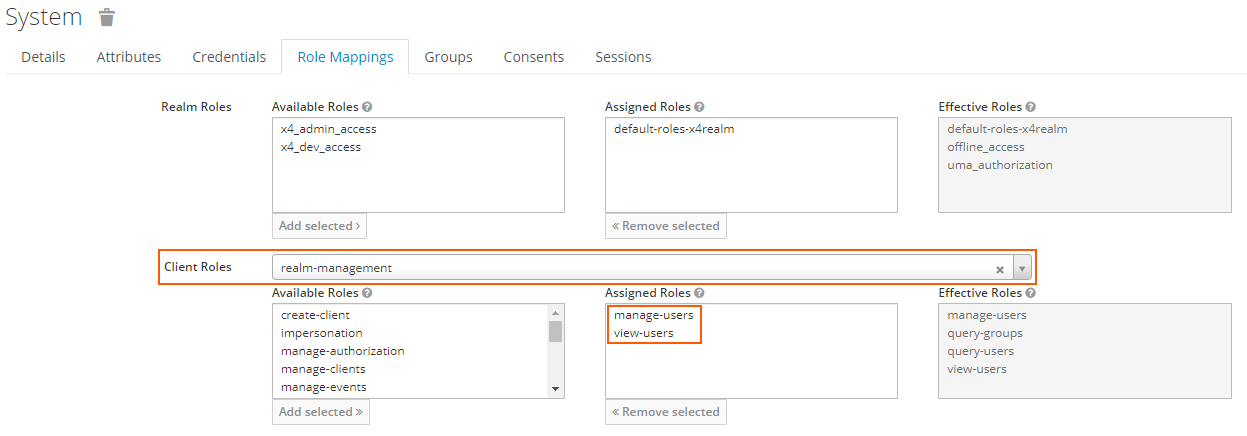
To use the X4 ReST API, the following rights must be granted to the appropriate user:
|
Client Roles |
|
|---|---|
|
Assigned Roles |
|
More information