
If savepoints werte set in a process, they will be displayed in the process details on the Details tab in the Process Instance: Status and runtime card in a drop-down list.
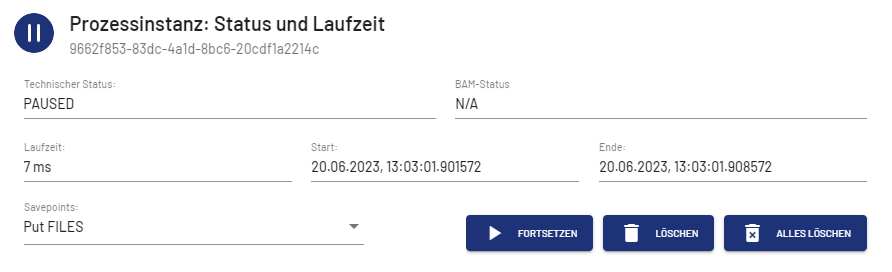
You can resume the process from the savepoint selected in the Savepoints drop-down list, delete the selected savepoint, or delete all savepoints. The deletion of a savepoint is confirmed by a message.
If a process does not contain any savepoints, the buttons are grayed out.

Note:
If you are working with X4 BPMS 7.4.0 or higher, the WildFly version used may restrict the amount of data processed when loading save points. See (7.4.4-en) Save Point Configuration for the X4 Server more information on how to remove or expand the appropriate restrictions.