
The installation of third-party libraries is required to use the PDF Compression and PDF to PDF/A Converter adapters.
How to install third-party libraries
-
Place the following files in the
<Serververzeichnis>\appserver-windows-6.3.4\wildfly\modules\org\faceless\bfopdf\mainfolder:-
bfopdf-2.28.2.jar -
bfopdf-jj2000-2.28.2.jar -
bfopdf-license.jar
-
-
Open the
module.xmlfile in the<Serververzeichnis>\appserver-windows-6.3.4\wildfly\modules\org\faceless\bfopdf\mainfolder. -
Uncomment the following lines:
<resource-root path="bfopdf-2.28.2.jar"/>
<resource-root path="bfopdf-jj2000-2.28.2.jar"/>
<resource-root path="bfopdf-license.jar"/>
This is how the file should look like: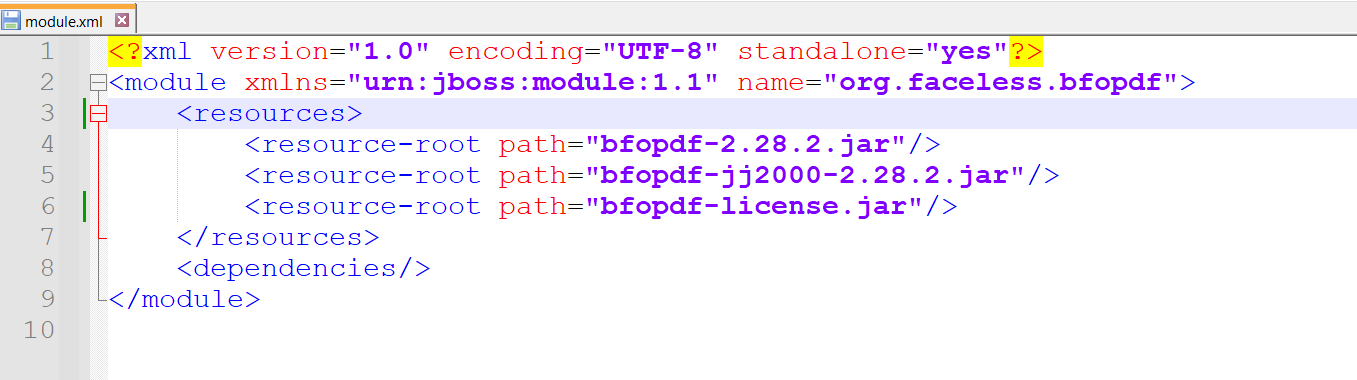
-
Save the
module.xmlfile. The third-party libraries for the PDF Compression and PDF to PDF/A Converter adapters are now installed.