
X4 Produktdokumentation

Main Theme

In the Main Theme, you can define the colors of the Web App. A main color can be defined by specifying a color in Main Color. Based on the Main Color, the remaining colors are calculated automatically. However, the colors can also be defined individually.
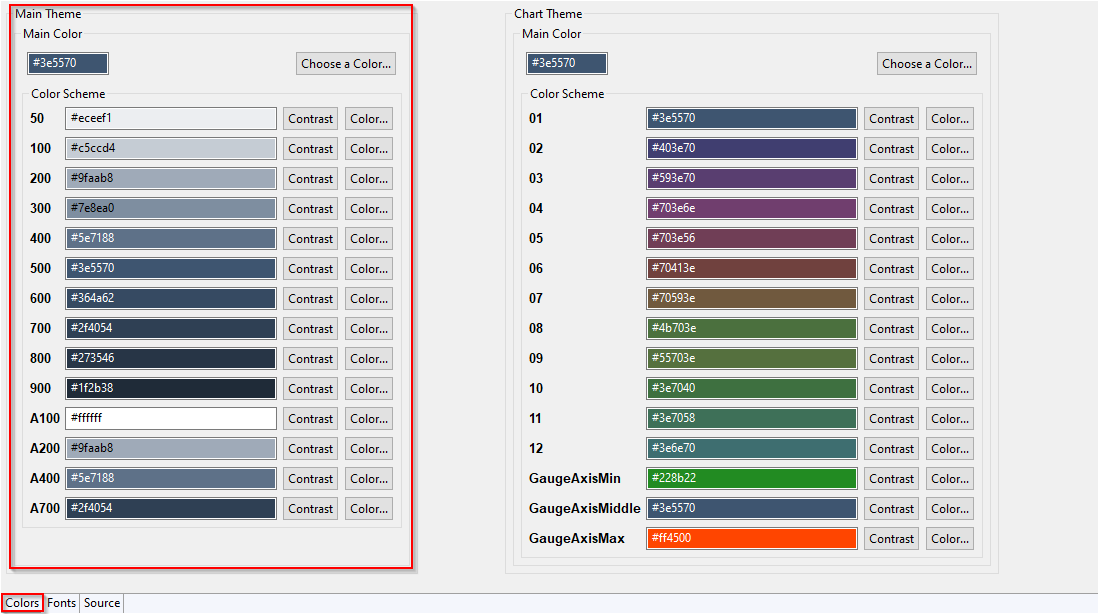
2021-07-01 13_21_47-Theme_Editor_Colors_MainTheme.png

In the following table, you can see the default usage of the Color and Contrast defined for the color scheme:

With Contrast, you can switch between black and white.


Color Scheme

Color

Contrast

50

Zebra table

  • background of the even row

Zebra table

  • font color of the even row

100

Zebra table

  • background of the odd row

Zebra table

  • font color of the odd row

200

Zebra table

  • background on mouseover

Zebra table

  • font color on mouseover

300

Cookie consent window

  • background


400

Button

  • background on mouseover

Button

  • font color on mouseover

500

website

  • background

Header

  • background

Menu

  • background of the selected menu item

TextBox

  • labels of the active TextBox

  • selected date in the date picker

Button

  • background

ComboBox

  • selected entry in open list

Date picker

  • selected date

Login

  • background

TabGroup

  • active tab

website

  • font color

Header

  • font color

Menu

  • font color of the selected menu item

Button

  • font color

600

Grid Component

  • border color

  • background on mouseover

Header

  • border color

  • gradient


700

Cookie consent window

  • text color


800

Cookie consent window

  • text color


900

Grid Component

  • text color on mouseover

  • text color selected text

  • text color alternative text

Footer

  • text color


A100

Web App

  • background

  • RadioButton

  • CheckBox


A200

Menu:

  • background on mouseover

Zebra table

  • background of the selected row

Zebra table

  • font color of the selected row

A400

Zebra table

  • background of the table header

Link

  • font color

Zebra table

  • font color of the table header

A700

Cookie consent window

  • button background

DateTime picker

  • Today button

AccordionControl

  • text color