
Example: Web App Project
In the X4 Designer, you use so-called Web App Projects to display and execute modeled Technical Processes without programming knowledge via a web application. In addition to a predefined folder structure, Web App Projects contain the central definition file <WebApp>.wad and are automatically registered as a web application in the X4 Server.
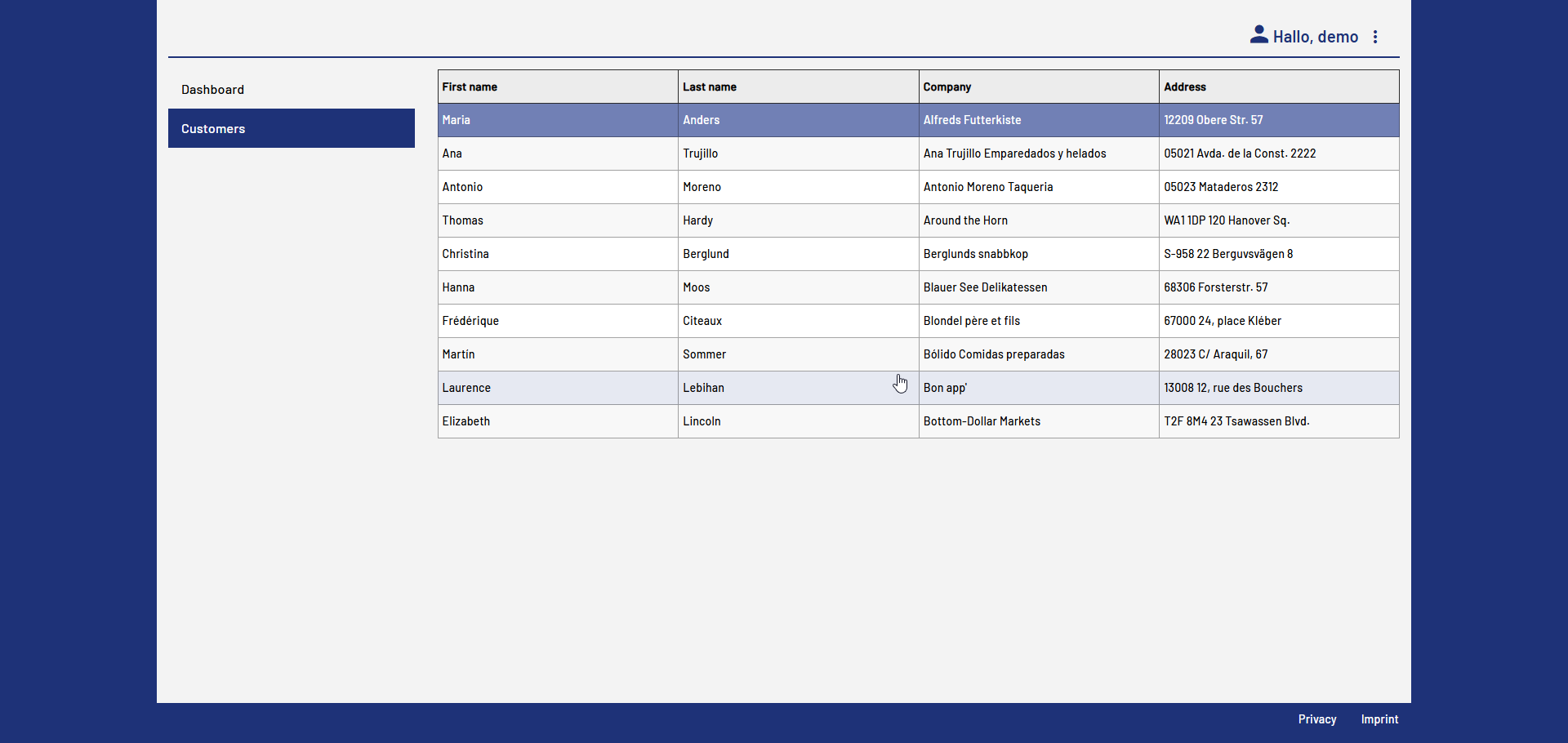
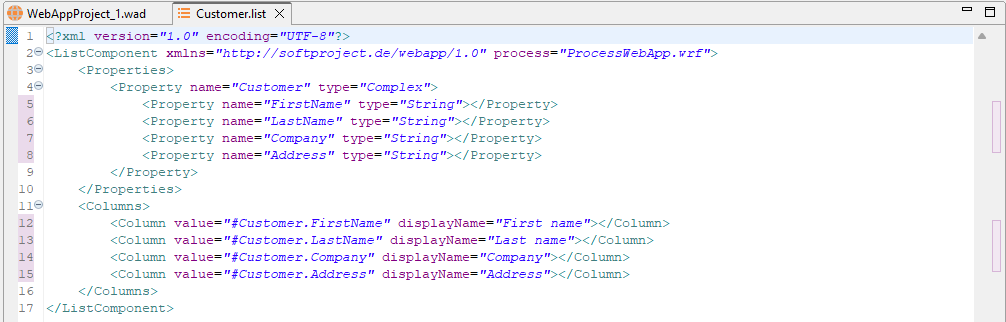
For this example, you create a Web App that displays a list of customer data in the browser. To do this, you create a Technical Process in addition to the Web App that reads data from your computer and transforms it for display in the Web App. The Technical Process represents the "backend" of your Web App, while the component of the Web App defines the "frontend" of the application.

File to prepare
In order to implement the Web App described in this chapter, you must prepare the following file and save it to your local computer.
How to create the Customers.csv file
Create a new CSV file with the following content. You can use any software to create the file.
"CustomerID","CompanyName","ContactName","ContactTitle","Address","PostalCode"
"ALFKI","Alfreds Futterkiste","Maria Anders","Sales Representative","Obere Str. 57","12209"
"ANATR","Ana Trujillo Emparedados y helados","Ana Trujillo","Owner","Avda. de la Const. 2222","05021"
"ANTON","Antonio Moreno Taqueria","Antonio Moreno","Owner","Mataderos  2312","05023"
"AROUT","Around the Horn","Thomas Hardy","Sales Representative","120 Hanover Sq.","WA1 1DP"
"BERGS","Berglunds snabbkop","Christina Berglund","Order Administrator","Berguvsvägen  8","S-958 22"
"BLAUS","Blauer See Delikatessen","Hanna Moos","Sales Representative","Forsterstr. 57","68306"
"BLONP","Blondel père et fils","Frédérique Citeaux","Marketing Manager","24, place Kléber","67000"
"BOLID","Bólido Comidas preparadas","Martín Sommer","Owner","C/ Araquil, 67","28023"
"BONAP","Bon app'","Laurence Lebihan","Owner","12, rue des Bouchers","13008"
"BOTTM","Bottom-Dollar Markets","Elizabeth Lincoln","Accounting Manager","23 Tsawassen Blvd.","T2F 8M4"
Relevant folders and files
When you create a Web App Project, a predefined project structure is automatically available. Certain components, files, and folders are also automatically present in this project tree.
For detailed information on the structure of a Web App Project, see Structure of a Web App Project.
The following folders and files are relevant to the example described here:
Name | Type | Description |
|---|---|---|
Components | Folder | This folder contains separate definitions for each component. A new Web App automatically contains the |
Services | Folder | This folder is where you store your used files and Technical Processes. You save adapters in the Adapters folder, processes in the Processes folder, and so on |
<Name_of_the_project>.wad | WAD file | File with the definition of the Web App. This file is created automatically when a Web App Project is created and cannot be deleted. |
You can find the next steps in this example project on the following pages: