
You can define the behavior of processes when they are run or debugged in the X4 Designer.
-
Select Tools > Options.
-
On the left side, double-click X4 Designer, and select Run/Debug to open the configuration.
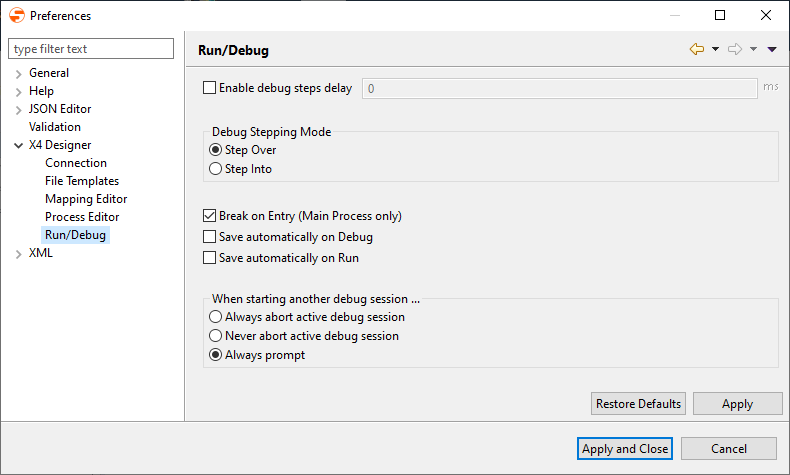
-
Make the required settings:
|
Enable debug steps delay: |
The delay is only applied, if the process execution is continued via Resume. |
|
Debug Stepping Mode: |
Deault display behavior when debugging process steps:
|
|
Break on Entry (Main Process only): |
Pause debugging after the first process step |
|
Save automatically on Debug: |
Save process automatically before starting the debug mode |
|
Save automatically on Run: |
Save process automatically before starting the run mode |
|
When starting another debug session: |
Behavior of the debugger if another debugging session is already running
Hinweis:
|
-
Click Apply and Close to save the configuration and close the window.