
To create heap dumps for X4 installations, the startX4.bat file (Windows) or startX4.sh file (Linux) must be changed in the server directory.
How to change the startX4.bat file (Windows)
-
Open the
startX4.batfile in the server directory with a text editor. -
Add this command line parameter below the
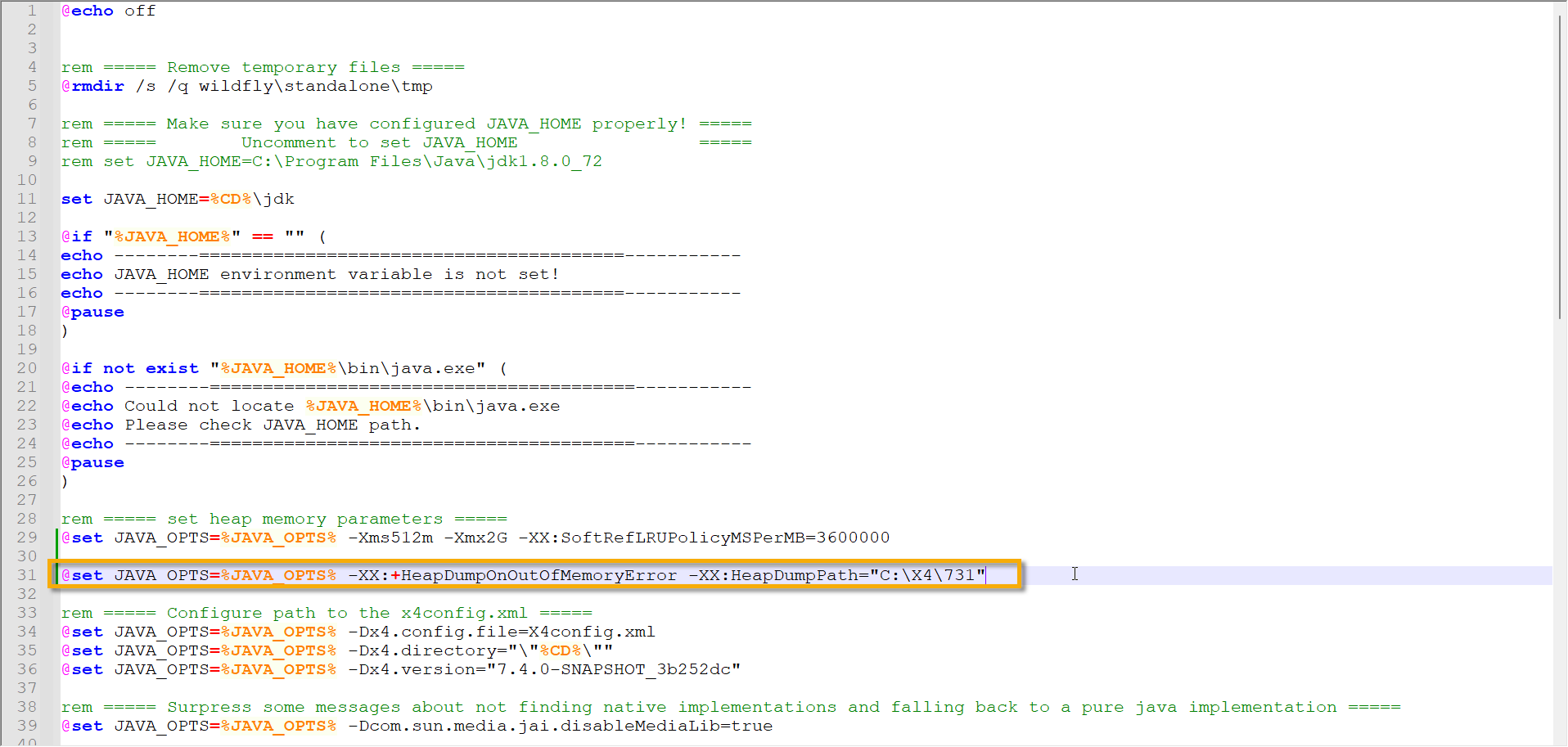
rem ===== set heap memory parameters =====lines:@set JAVA_OPTS=%JAVA_OPTS% -XX:+HeapDumpOnOutOfMemoryError -XX:HeapDumpPath="<PathToStoreTheHeapDump>"
This command line parameter is used to configure the Java application so that it automatically creates a heap dump when a memory shortage occurs.
-
Adapt the path where the heap dump should be saved.
-
Only absolute paths are possible.
The startX4.bat file should now look like this with the command line parameter set in line 31:
-
Save the
startX4.batfile.
If a memory shortage occurs with the modified startX4.bat file, a file with a name such as java_pid23948.hprof is saved in the specified path. This file contains the heap dump.
How to change the startX4.sh file (Linux)
-
Open the
startX4.shfile in the server directory with a text editor. -
Add this command line parameter the
startX4.shfile analogous to Windows:JAVA_OPTS=$JAVA_OPTS -XX:+HeapDumpOnOutOfMemoryError -XX:HeapDumpPath="<PathToStoreTheHeapDump>"
This command line parameter is used to configure the Java application so that it automatically creates a heap dump when a memory shortage occurs.
-
Adapt the path where the heap dump should be saved.
-
Only absolute paths are possible.
-
Save the file
startX4.sh.
If a memory shortage occurs with the modified startX4.bat file, a file with a name such as java_pid23948.hprof is saved in the specified path. This file contains the heap dump.