
The following attributes can be defined for the <Column> element:
|
Attribute |
Description |
|---|---|
|
|
Defines the positioning within the column. Possible values:
|
|
|
Defines the bottom margin, Possible values:
|
|
|
Defines the left margin. Possible values:
|
|
|
Defines the right margin. Possible values:
|
|
|
Defines the top margin. Possible values:
|
|
|
Defines the unit in which the margin is specified. Possible values:
|
|
|
Defines the bottom inner spacing. Possible values:
|
|
|
Defines the left inner spacing. Possible values:
|
|
|
Defines the right inner spacing. Possible values:
|
|
|
Defines the top inner spacing. Possible values:
|
|
|
Defines the unit in which the inner spacing is specified. Possible values:
|
|
|
Defines the unit in which the column width ( Possible values:
|
|
|
Defines the column width. Possible values:
|
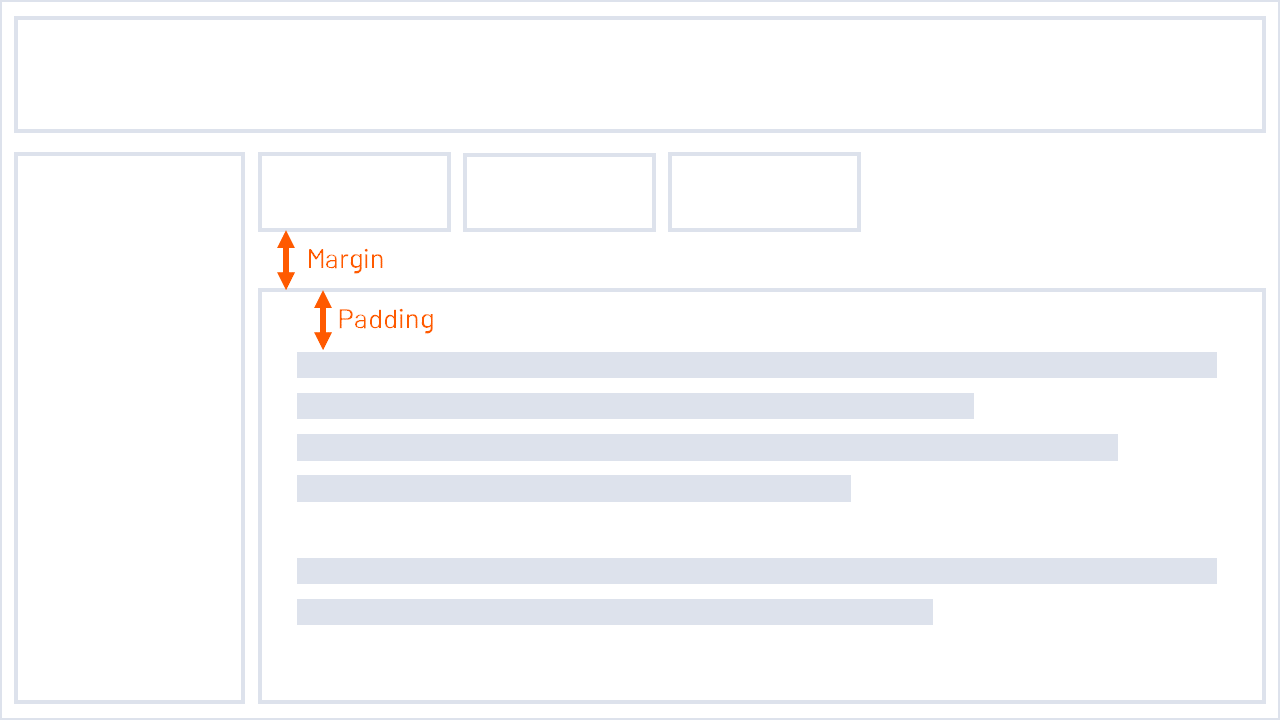
Padding is the internal spacing, which is the distance between the content (e.g. text) and the frame of the element.
Margin is the outer distance, which is the distance between the element and the neighboring elements.
Additional information: