
Process components of Technical Processes and Business Processes can be aligned easily via the context menu entry Layout. This allows you to generate a clean and structured model in quick and easy way.
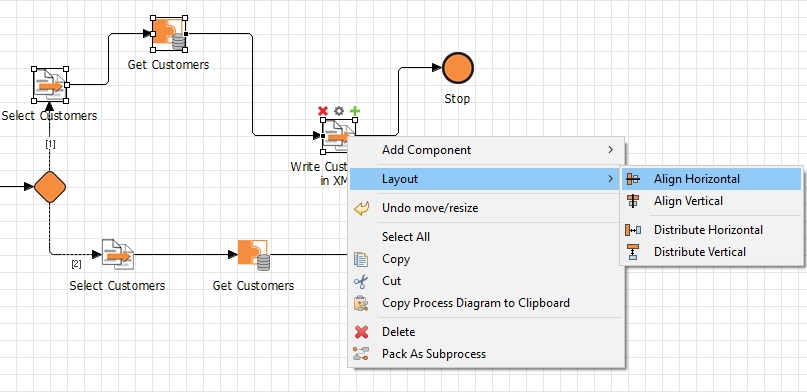
To align process components, select the required components and open the context menu by right-clicking. Then select Layout and the desired option. The following options are available:
-
Align Horizontal: Align the process components horizontally -
Align Vertical: Align the process components vertically -
Distribute Horizontal: Distribute the process components horizontally -
Distribute Vertical: Distribute the process components vertically
For the options Align Horizontal and Align Vertical at least two process components must be selected, for the options Distribute Horizontal and Distribute Vertical at least three.