
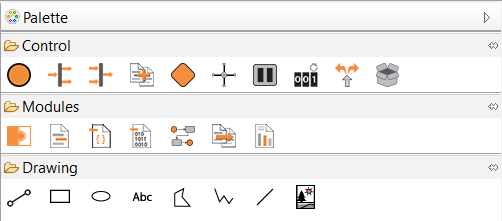
At the right edge of the drawing area there is a fold-out toolbar, the palette. It contains process module symbols that you can drag and drop into the drawing area.
If you hover over a component placed in the drawing area, various symbols are displayed above the component.
Not all symbols are available for all components!
|
Symbol |
Function |
|---|---|
|
|
Add new element after the current element |
|
|
Create a new file in the current project Note: New files can be only be created in the allowed project folders or as a private file within the process. Double-click on the component to add files that already exist in X4 Designer.
|
|
|
Change type of the component from |
|
|
Change type of the component from Note: This option is not available for files located in the
|
|
|
Edit component |
|
|
Change operation of the component from |
|
|
Change operation of the component from |
|
|
Indicates that a component parameter has been set for the component |
|
|
Edit component |


