
The scheduler interface provides an overview of all processes for which a scheduled execution has been defined. In addition, the interface also offers the possibility to configure new time-controlled executions as well as to edit or delete already existing configurations.
When defining schedules, a differentiation is made between the following execution options:
-
Startup: Execution of a process at server startup
-
CRON: Execution of a process according to certain cron patterns
The main functions of the scheduler are:
-
Overview of existing schedules
-
Create/edit any number of execution points and intervals per process
Create scheduler
-
The scheduler can only be created in BPM and ESB projects.
-
Only one scheduler can be created in a project.
-
In the Repository Navigator view, right-click a project.
-
In the context menu select New> Schedule
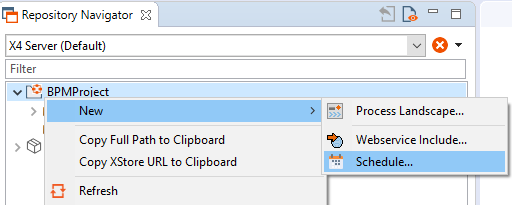
.The scheduler is created and opened.
For further information please visit the section