
Result: ESB Project
✅ You have now successfully modeled the Technical Process "Import invoices".
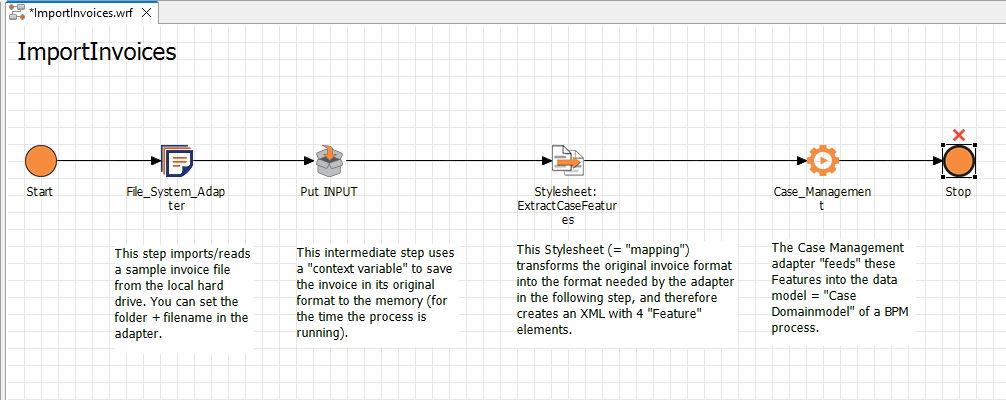
The process reads an example invoice from your computer and transforms the read-in data into a desired XML structure for further processing.
If you have integrated the Technical Process into a BPM process and inserted a Case Management adapter, the information read from the invoice documents is captured as features in the BPM process using the SetFeatures operation.
The modeled Technical Process should look like this:
To test whether you have modeled the Technical Process correctly, you can debug the process, i.e. check for syntactic errors. For a detailed description of how to do debug Technical Processes, see Debugging Technical Processes .