
Structure of the X4 Designer
When you open the X4 Designer for the first time and have connected to the X4 Server, you will see the following interface:
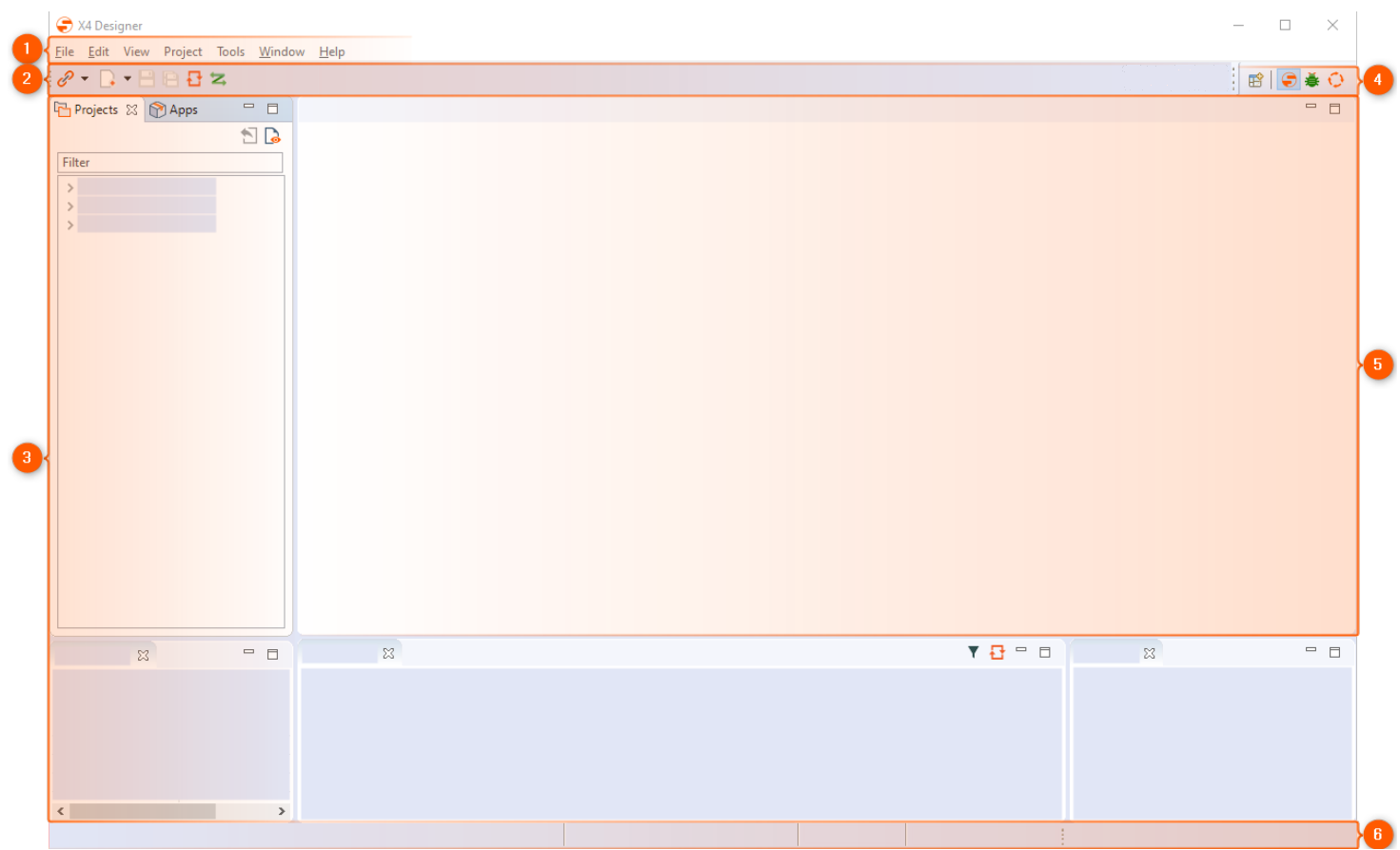
1 | Menu bar | The menu bar allows you to access various functions and editors of the X4 Designer. |
|---|---|---|
2 | Toolbar | The toolbar allows you to access various functions and display options. Some icons are only active when the respective function is available for the selected or opened element. For more information, see Toolbar. |
3 | Views | You can arrange the displayed views individually using drag&drop. |
4 | Perspectives | These icons allow you to switch between the X4 Designer, Debug, and BPMN Designer perspectives. |
5 | Editors and drawing surface | This area opens processes and files in tabs for viewing and editing. |
6 | Status bar | The status bar displays the connected server, workspace, logged-in user, and version of the X4 BPMS. |