
In the Chart Colors section the colors for the different charts can be defined. By specifying a color for Main Color, a main color can be defined. Based on the Main Color, the remaining colors are calculated automatically. However, the colors can also be defined individually.
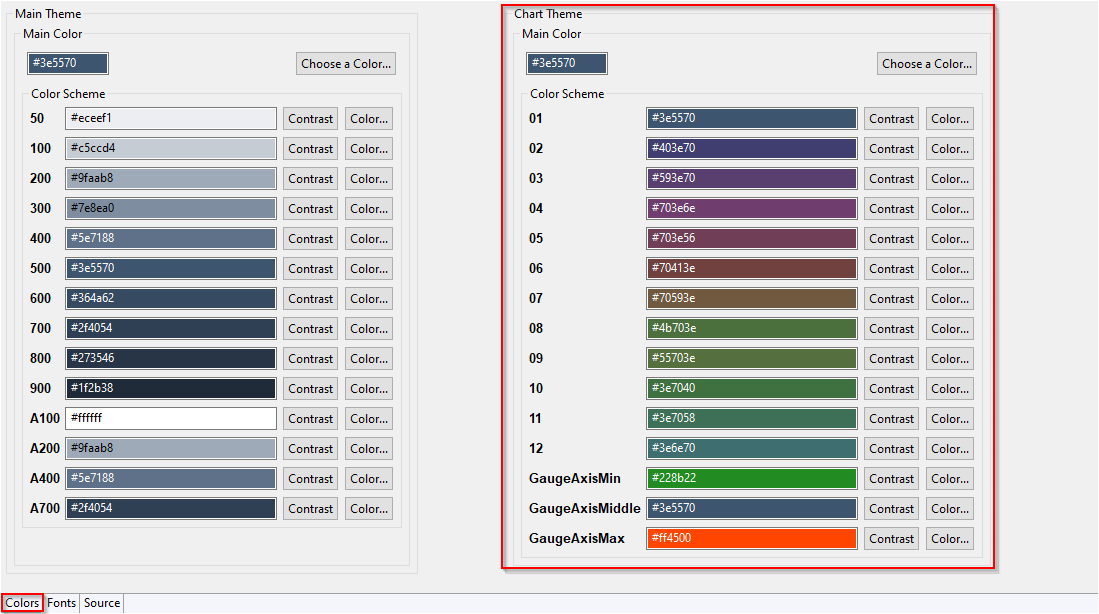
In the following table you can see the default usage of the Color and Contrast defined for the color scheme:
With Contrast you can switch between black and white.
|
Color Scheme |
Color |
Contrast |
|---|---|---|
|
|
|
|
|
|
|
|
|
|
|
|
|
|
|
|