
How to use a data model in an ESB project
-
Create a new ESB project or open an existing ESB project.
-
Right-click the Transformations folder and select New > XSL Stylesheet.
-
In the File Creation Wizard dialog, select Empty to create an empty transformation.
-
Enter a name for the mapping file and click Finish.
-
Drag and drop the
.datamodelfile from the Data Model Project to the blank area on the left. -
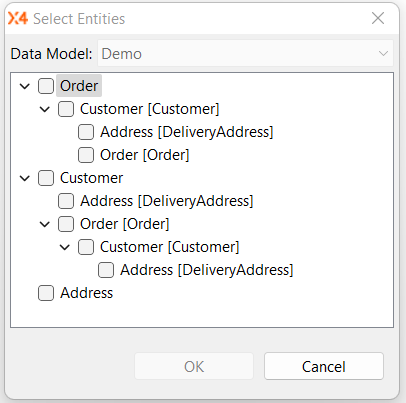
The Select Entities dialog opens. Here you select the entities from your data model that you want to include in the mapping file.
For the example shown in Createing a Data Model Project, in which the entities Customer, Address and Order were created with various links, the following choices are available:
-
Once the structure is created and mapped, you can begin mapping. For more information, see License Information .