
Defining Configuration Options
The tab Configuration has diffrent sections to define the configuration options of your Web App.
Section | Description |
|---|---|
 | Path: In this field you can define a path that will be displayed as part of the URL in the browser. |
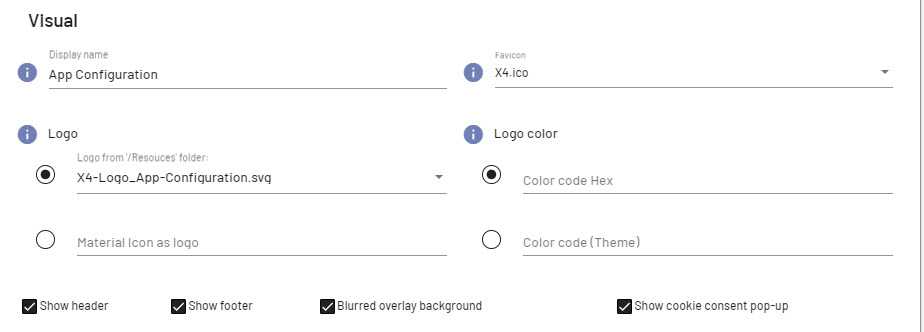 | Display name: You can enter the display name of the Web App in this field. The display name is shown in the browser tab or title bar. Logo: In this field you can enter the path to a graphic file (.gif, .png or .svg) or a material icon that will be used as the logo of the Web App. To do so, activate the corresponding radio button. Note:
Logo color: This field defines the color of the logo which was added in the field Logo as Material icon. You can either use a hexadecimal color code (e.g. The color if graphic files cannot be changed. Note:
Favicon: Enter the path of the graphic file (.gif, .ico, .png oder .svg) to be used as a Favicon of the Web App. Show Header: Enable/Disable the checkbox to display/hide the header of the Web App. The check box is enabled by default. Show Footer: Enable/Disable the checkbox to display/hide the footer of the Web App. The check box is enabled by default. Note: If the displayed component contains Actions, the footer will be displayed in the mobile view regardless of whether the checkbox is enabled or disabled. Blurred overlay background: Enable/Disable the checkbox to display the background blurred or clear when displaying overlay structure elements. The check box is enabled by default. This means that the parts of the Web App still in the background will be blurred for overlays. Show cookie consent pop-up: Enable/Disable the checkbox to define if the Cookie consent pop-up is displayed. The check box is enabled by default. |
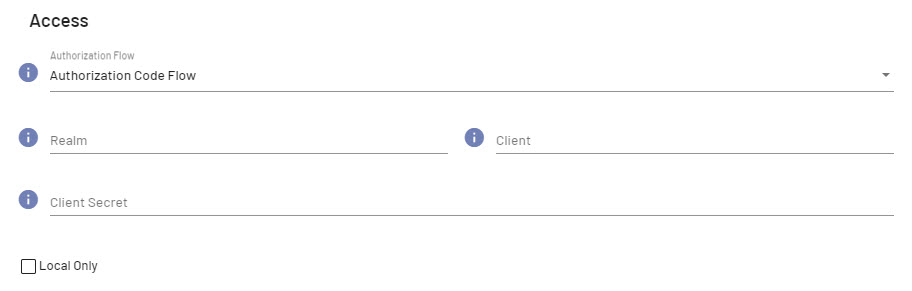 | Authorization Flow: Select from the dropdown list which Authorization flow should be used.
Resource Owner Password Flow: Note:
Authorization Code Flow: Note: To use Single-Sign-On functionality, select the authorization flow Authorization Code Flow. Additional information: Additional information can be found on the official Auth0® Inc. website Realm: Defines which Realm is used with Keycloak. Note: The specification of the realm is required if the authorization flow Authorization Code Flow or Resource Owner Password Flow is selected and a realm different from the standard is to be used. Client: Defines which Keycloak client is to be used. Note: The client name is required if the authorization flow Authorization Code Flow or Resource Owner Password Flow is defined and a client different from the standard is to be used. Client Secret: Defines the client log-in information for the specified client. Local Only: Enable/Disable the checkbox to define if a project should only be available locally or not. The check box is disabled by default. Note: The Web application can only be displayed in the local system in the browser. |
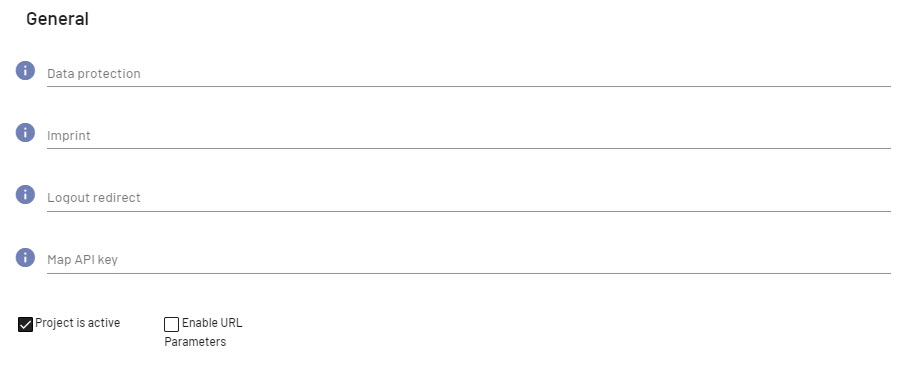 | Data protection: Linking external Data privacy policy pages. Imprint: Linking external Imprint pages. Logout redirect: Redirecting users to the specified URL when logging out of the system. You can enter any valid URL with any valid protocol ( Map API key: If Google Maps is used as a map provider, the following APIs need to be activated:
Project is active: Enable/Disable the checkbox to define if a project is active/inactive. The checkbox is disabled by default. Note: The Web application is not displayed in the browser if the the project is inactive. Enable URL Parameters: Enable/Disable the checkbox to define if data is transferred to the Web App when calling the Web App. |
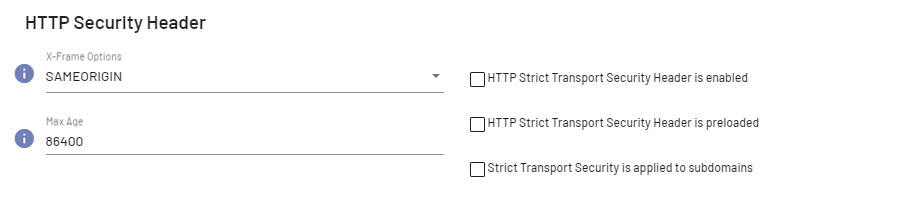 | X-Frame Options: Select from the dropdown list if a browser may embed the target page in a Possible options:
Max Age Specify the time in seconds for the browser to remember that the web app may only be accessed via HTTPS. HTTP Strict Transport Security Header is enabled Defines wether the HTTP Strict Transport-Security Header is enabled/disabled. HTTP Strict Transport Security Header is preloaded Defines if the HTTP Strict Transport Security Header is preloaded. Strict Transport Security is supplied to subdomains Defines if the settings for the HTTP Strict Transport Security Header are also valid for the subdomains of the Web App. |

