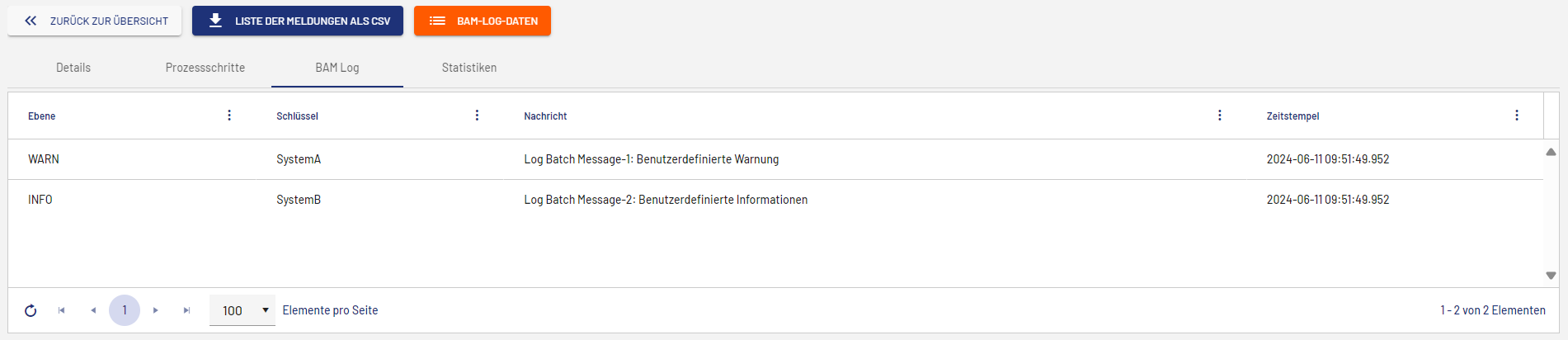
The BAM Logging Adapter returns a log message with a user-defined status text to the Process Monitor or saves data in the PostgreSQL or MSSQL database. For more information, see BAM Logging Adapter.
Depending on the adapter operation, the output is displayed at different places in the Process Monitor.
Log Status Operation
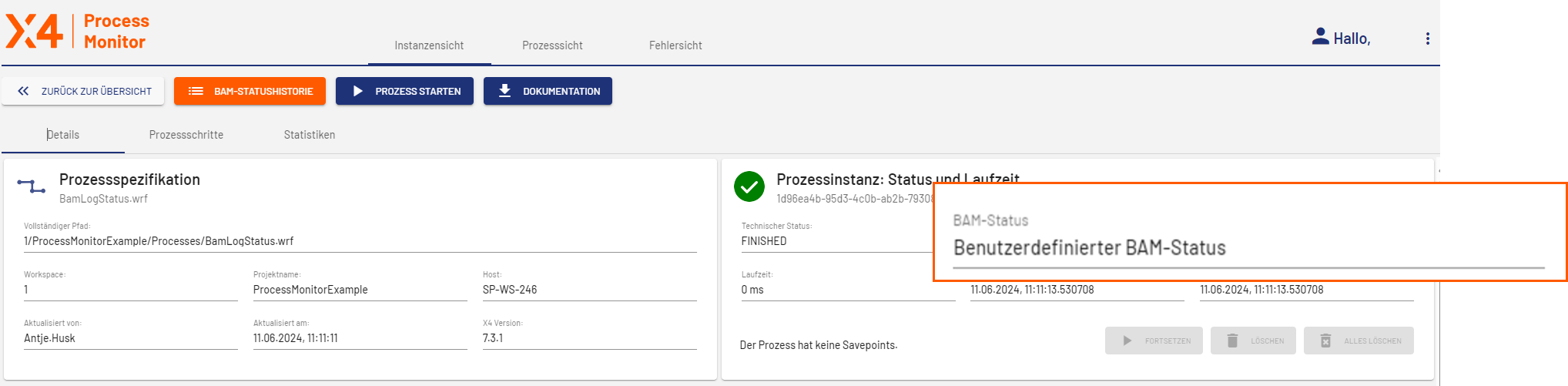
If you use the BAM Logging Adapter with the Log Status operation, the user-defined BAM status is displayed in the Instance View on the Details tab in the Process Instance: Status and Runtime card.
Log Data Operation
If you use the BAM Logging Adapter with the Log Data operation, the BAM Log tab is displayed in the view with the process details. You can use the BAM Log Data button to view and download the files saved by the operation.

Log Message Operation
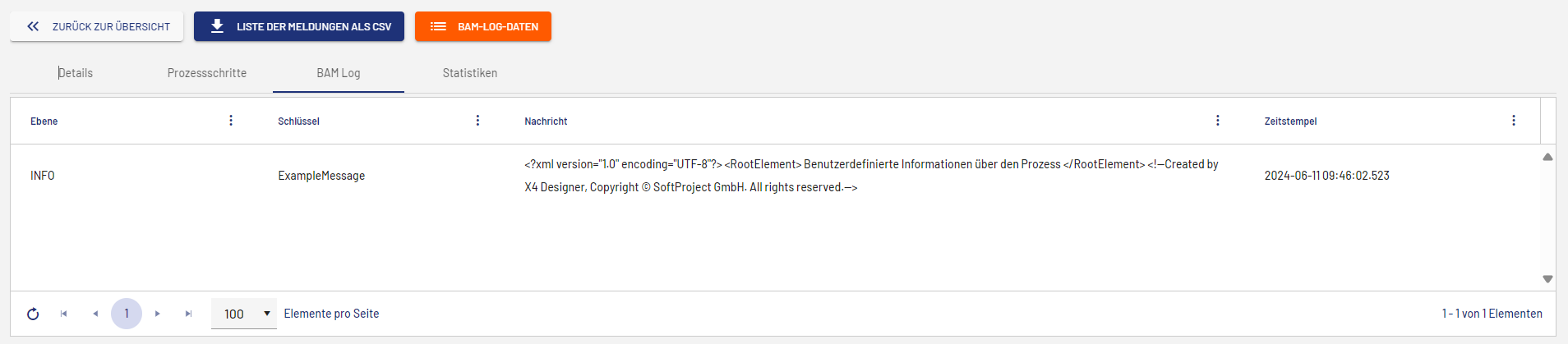
If you use the BAM Logging Adapter with the Log Message operation, the BAM Log tab is displayed in the view with the process details. Here, you will find information on the level and the key, as well as the log message and the timestamp returned by the operation.
Log Batch Messages Operation
If you use the BAM Logging Adapter with the Log Batch Messages operation, the BAM Log tab is displayed in the view with the process details. Here, you will find information on the level and the key, as well as the log messages created by the operation and the timestamp.