

Atlassian Jira Connector: Connects processes with Atlassian Jira.
Please note that in you first need to create a placeholder group with the appropriate Jira credentials to use the adapter. You can do this either manually in the Global Parameter Configuration or via an integration process using the adapter Global Parameter Management.
Example:
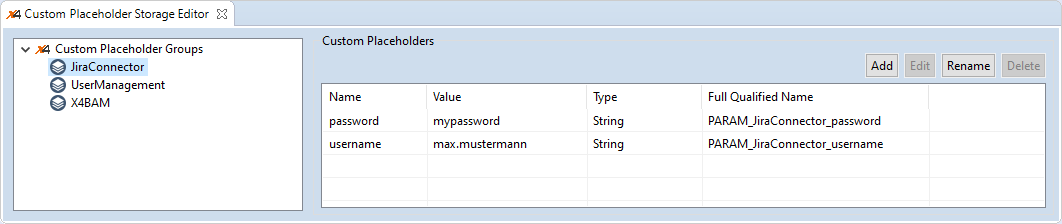
Properties
|
|
Defines the operation executed by the adapter Possible values:
|
Parameters
|
|
Main adapter class (Do not change!) Possible values: |
|
|
Virtual repository of the adapter project. The value cannot be changed. |
|
|
URL of the Jira server Possible values: Valid URL, e.g. |
|
|
Port of the ReST API Possible values:
|
|
|
Project key with or without issue ID Possible values: Project key, e.g. |
|
|
Defines if the communication should take place via HTTPS or not Possible values: |
|
|
Jira user to be used for authentification |
|
|
Password of the Jira user to be used for authentication |
|
|
Token used for the authentication |
|
|
Used with operation Possible values: Valid search criteria, e.g.
|
|
|
Offset at which the enumeration of operations starts |
|
|
Maximum number of returned issues |
|
|
ID that specifies comments or attachments |
Status values
|
|
The adapter operation was executed successfully. |
|
|
An error occurred during the adapter's execution. |
Input
The adapter expects different input structures depending on the selected operation. For more information, see the following subchapters.
Output
The adapter outputs different structures depending on the selected operation. For more information, see the following subchapters.