
X4 Control Center
The X4 Control Center is a dashboard providing an overview of the native X4 Web Apps. There are two ways to access the X4 Control Center:
via the URL http://localhost:8080/
from the X4 Designer via Tools > Control Center
The following home page is opened:
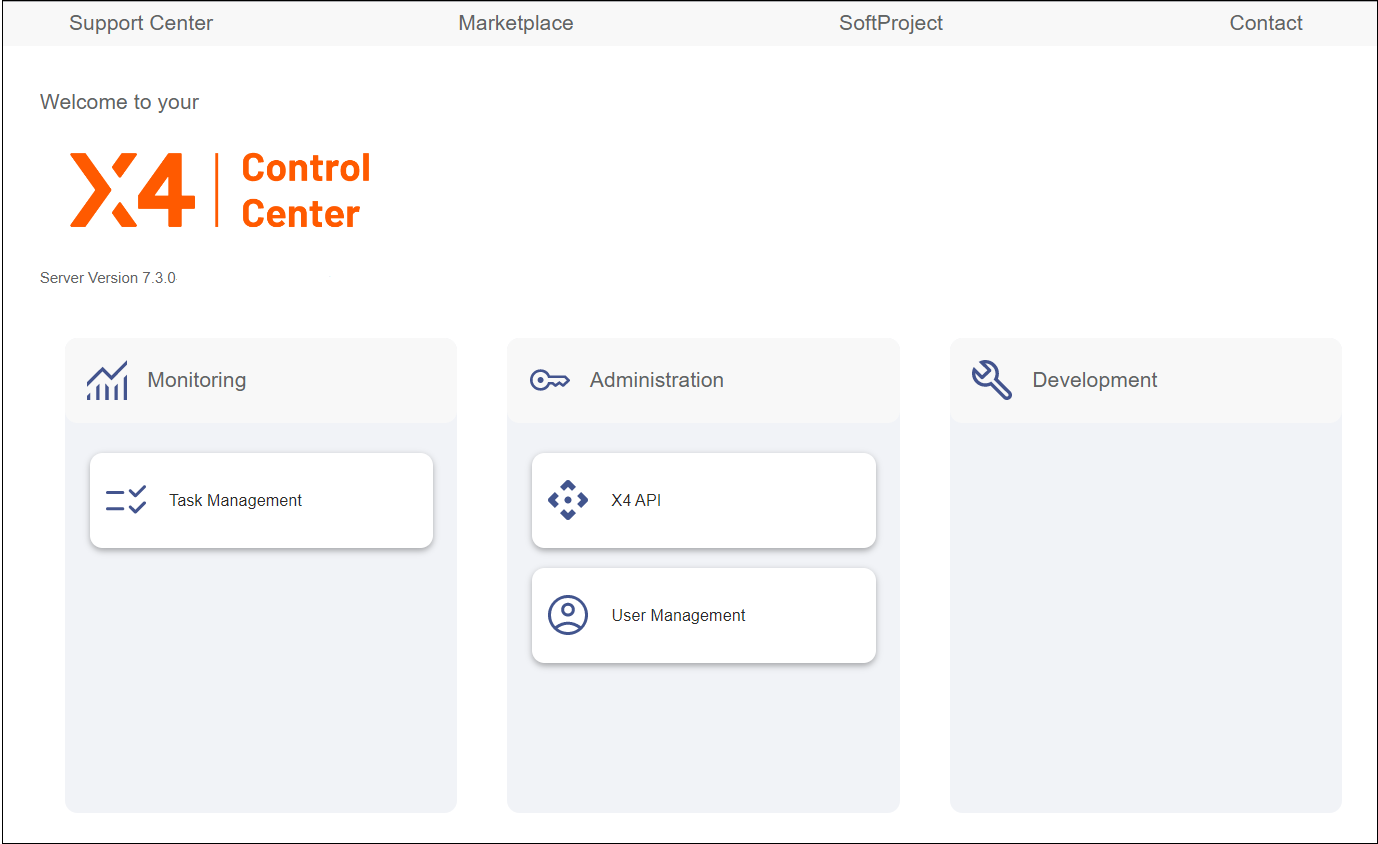
The bar in the upper part of the screen contains four buttons:
Support Center | Choose this button to access the SoftProject Support Center. Please note that you need an account to access the Control Center. Note: Existing customers who do not have an account yet can have an account set up at support@softproject.de. |
Marketplace | Choose this button to access the SoftProject Marketplace. |
SoftProject | Choose this button to open the SoftProject website where you will find detailed information about the X4 BPMS. |
Contact | Choose this button to get in touch with a SoftProject representative. |

The X4 Control Center consists of the tiles Monitoring, Administration, and Development with the following contents:
Monitoring | The Task Management Web App provides a user interface for the processing of the defined tasks (Human Tasks) to which people are associated in Business Processes. The Task Management Web App already has a predefined structure and predefined functions. However, further settings can be made within the corresponding Business Process and via various settings within the Human Task Editor. For more information about this app, see the Task Management Web App chapter in the X4 BPM Guide. |
Administration | This tile contains two buttons that allow you to perform administrative functions:
|
Development | This tile does not contain any native X4 Web Apps. It displays all the Web Apps that you create with the X4 BPMS. |
Note:
You can fill the tiles in the X4 Control Center with five additional preconfigured X4 Web Apps:
App Configuration
Parameter Editor
Process Monitor
Process Scheduler
3rd Party License Report
These Web Apps are included in the All-in-One - Interaktive Installation installation package. You can also download the apps separately via a separate installation package for the X4 Control Center.
Both installation packages can be found at the SoftProject website in the Resources > Software X4 BPMS section.