Responsive Layout
The Responsive Layout is ideal for web applications that are to be displayed on different end devices. The Responsive Layout is divided into 12 virtual columns. The amount of space available in a column depends on the resolution of the end device.
The <ResponsiveLayout> element creates a Responsive Layout. Within the <ResponsiveLayout>, at least one <Cell> element must be specified. For each <Cell> element, the number of columns that the element occupies on the corresponding end device can be specified. Additional layout types can be nested within the <Cell> element. The Responsive Layout adjusts the content within the <Cell> element to the available screenspace and wraps it as needed.

For more information, see the sections:
Examples
XML
<DetailComponent
	default="true"
	displayName="Dashboard"
	path="Dashboard">
	<ResponsiveLayout defaultCellSizeTablet="6">
		<Cell cellSizeTablet="3">
			<FlowLayout>
				<TextBox
					displayName="Unternehmen"
					value="SoftProject GmbH" />
			</FlowLayout>
		</Cell>
		<Cell cellSizeDesktop="3">
			<GridLayout columns="2">
				<TextBox
					displayName="Straße"
					value="Am Erlengraben 3" />
				<TextBox
					displayName="Land"
					value="Deutschland" />
				<TextBox
					displayName="Postleitzahl"
					value="76275" />
				<TextBox
					displayName="Ort"
					value="Ettlingen" />
			</GridLayout>
		</Cell>
		<Cell
			cellSizeDesktop="6"
			cellSizeTablet="12">
			<Map vendor="OpenStreetMap">
				<SingleMarker
					name="Marker"
					searchString="Am Erlengraben 3, 76275 Ettlingen" />
			</Map>
		</Cell>
	</ResponsiveLayout>
</DetailComponent>
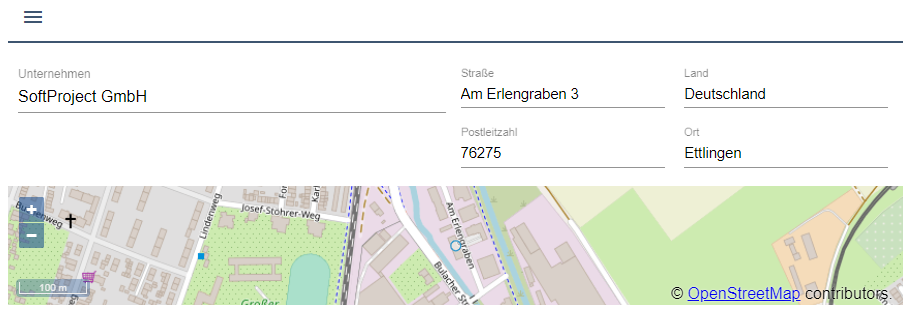
Desktop view

Tablet view
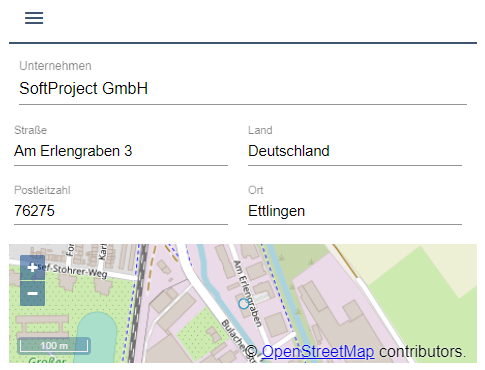
Mobile view