
Moving elements and updating references automatically
You can move any element within the current project of the Repository. References to the moved file in other processes can be updated automatically.
Move the resource to the target in the repository via drag&drop.
Projekte verfügen über eine vordefinierte Struktur, sodass die eingefügten Dateien nur im jeweils vordefinierten Ordner abgelegt werden können, siehe auch Die Struktur von ESB-Projekten
The window Update references will be opened.
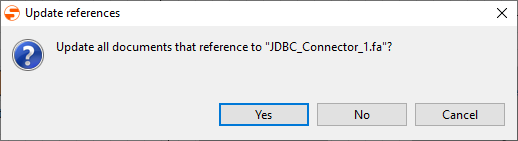
If you want to update references to the moved file or folder automatically:
Click Yes
The window Confirm Move will be opened. It displays which repository elements use the moved file.
Click OK to apply changes.
When moving XSL mappings that have referenced input or output XML documents/schemas, those file references must be modified if their relative paths have been changed.
If references should not be updated: Click No.

If you press Ctrl/Shift, you can select multiple files in the Repository Navigator. For each file, the Update references dialog will be opened. It offers additional options:
- Yes To All: Update references for all files to be moved
- No To All: Do not update references
Projekte verfügen über eine vordefinierte Struktur, sodass die eingefügten Dateien nur im jeweils vordefinierten Ordner abgelegt werden können, siehe auch Die Struktur von ESB-Projekten