
Configuring the Run/Debug Mode
You can define how processes behave when running in run or debug mode in the X4 Designer.
How to configure the run/debug mode
Select Tools > Options.
Double-click X4 Designer on the left and select Run/Debug.
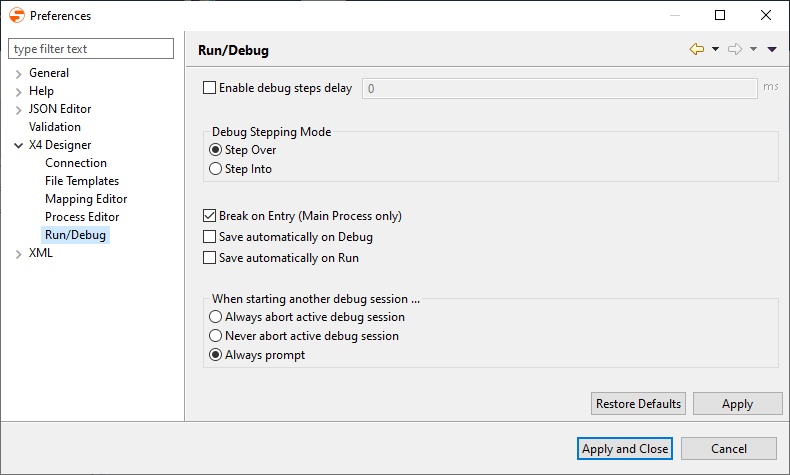
Define the desired settings:
Option | Description |
|---|---|
Enable debug steps delay: | With this option, you define the delay (in milliseconds) between each process step executed in debug mode in Debug steps delay. The delay occurs only when the process is resumed via Resume. |
Debug Stepping Mode: | This option defines the default display behavior when debugging the process steps:
|
Break on Entry (Main Process only): | If you select the checkbox, debugging stops after the first process step. |
Save automatically on Debug: | If you select the checkbox, the process is automatically saved before starting the debug mode. |
Save automatically on Run: | If you select the checkbox, the process is automatically saved before starting run mode. |
When starting another debug session: | This option defines the behavior of the debugger when another debugging session is already running:
Debugging can also be restarted using the F4 key. |

Click Apply and Close to save the settings and close the window.