
Installing Adapters and Plugins Manually
Adapters that are not included as standard, as well as adapters or plugins that you have created yourself, can be installed manually in X4 BPMS.
How to install adapters manually
Unpack the ZIP folder of the adapter.
Copy the folder of the adapter to the
<server_directory>\wildfly\modules\de\softproject\x4\adapterfolder.Make sure that the
<resource-root path="" />paths in the<resources>element in themodule.xmlfile in the<server_directory>\wildfly\modules\de\softproject\x4\adapter\<name of the adapter>\mainfolder match the names in the*.jarfiles.
Example using the BAM Log Adapter:Names of the
*.jarfiles: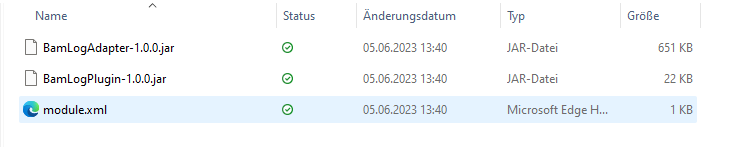
Content of the
module.xmlfile: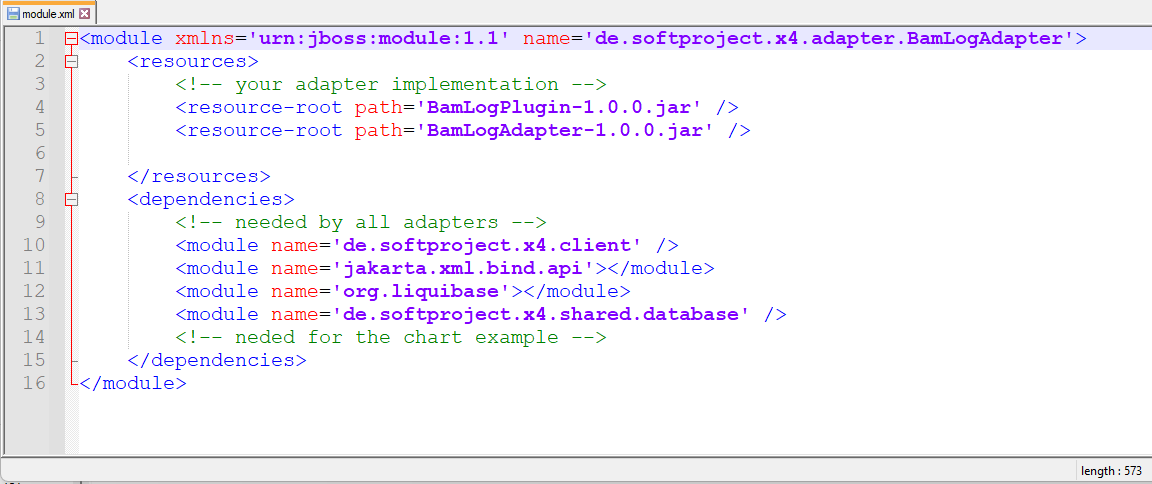
Add the adapter name to the
module.xmlfile in the<server_directory>\wildfly\modules\de\softproject\plugins\mainfolder:Open the
module.xmlfile in the folder<server_directory>\wildfly\modules\de\softproject\plugins\main.Copy the adapter name in the
<dependencies>tag:<module name="de.softproject.x4.adapter.<name of the adapter>" export="true"/>

Note on the path and name of the adapter in the module.xml file:
The path below <server_directory>\wildfly\modules... corresponds dot-separated instead of slash-separated to the name of the adapter in the module.xml file.
Example:
Path: <server_directory>\wildfly\modules\de\softproject\x4\adapter\CustomAdapter
Name of the adapter in the module.xml file: de.softproject.x4.adapter.CustomAdapter
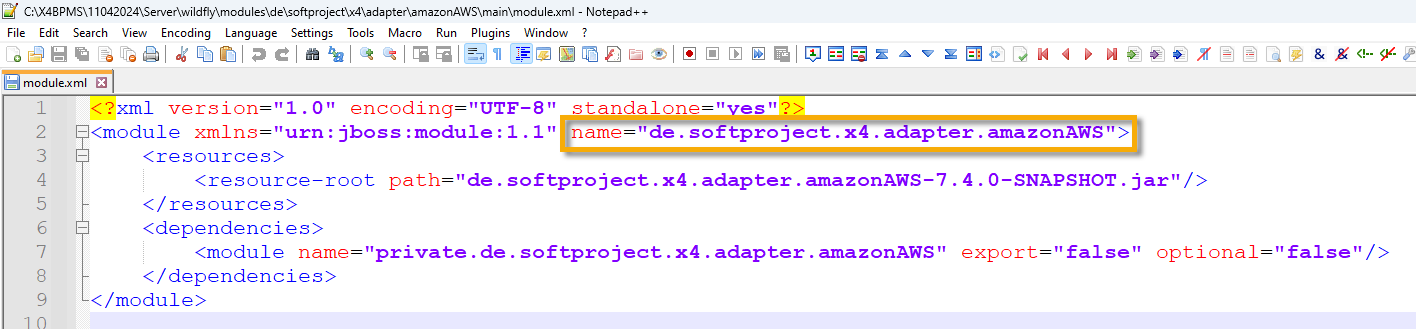
c. Save the module.xml file.
Start Keycloak, the X4 Server, and the X4 Designer.
The adapter can now be selected and used in the X4 Designer.
Note on the subfolders in <server_directory>\wildfly\modules\de\softproject
Path | Description |
|---|---|
| Empty module for custom modules |
| Contains all module dependencies required by X4 BPMS. |
| Contains all preconfigured module dependencies.
|
| All standard X4 BPMS modules |
 It is recommended to add plugins and adapters here.