
Heap Dumps for Directly Executed X4 Installations
To create heap dumps for X4 installations, the file startX4.bat (Windows) or startX4.sh (Linux) must be adapted in the server directory.
How to adapt the startX4.bat file (Windows)
Open the
startX4.batfile in the server directory with a text editor.Add this command line parameter below the lines
rem ===== set heap memory parameters =====:CODE@set JAVA_OPTS=%JAVA_OPTS% -XX:+HeapDumpOnOutOfMemoryError -XX:HeapDumpPath="<PathToStoreTheHeapDump>"
This command line parameter is used to configure the Java application so that it automatically creates a heap dump when a memory shortage occurs.
Adapt the path where the heap dump should be saved.
 Only absolute paths are possible.
ThestartX4.batfile should now look like this with the command line parameter set in line 31: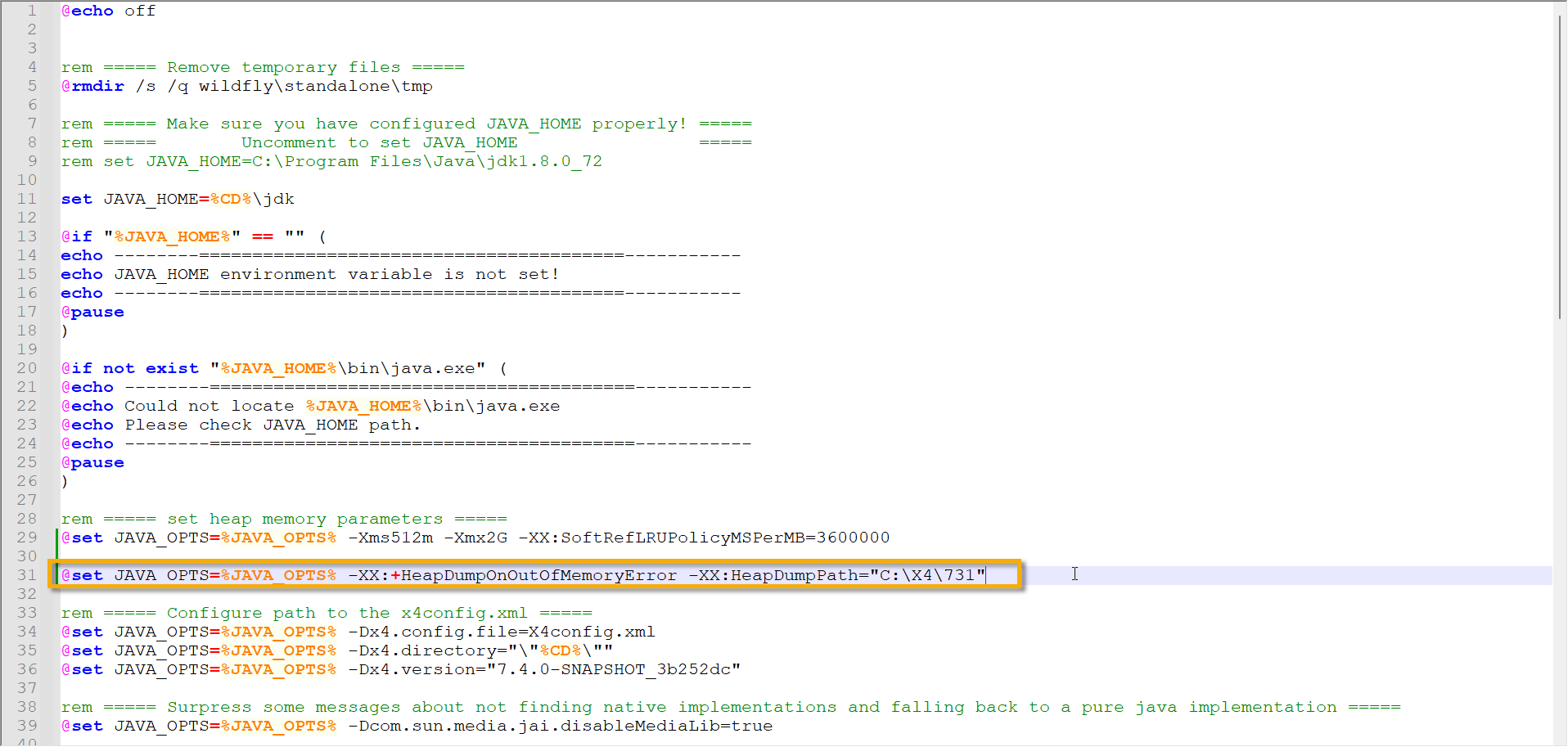
Save the
startX4.batfile.
If a memory shortage occurs with the modified startX4.bat file, a file with a name such as java_pid23948.hprof is saved in the specified path. This file contains the heap dump.
How to adapter the startX4.sh file (Linux)
Open the
startX4.shfile in the server directory with a text editor.Add this command line parameter the
startX4.shfile analogous to Windows:CODEJAVA_OPTS=$JAVA_OPTS -XX:+HeapDumpOnOutOfMemoryError -XX:HeapDumpPath="<PathToStoreTheHeapDump>"
This command line parameter is used to configure the Java application so that it automatically creates a heap dump when a memory shortage occurs.
Adapt the path where the heap dump should be saved.
Only absolute paths are possible.Save the file
startX4.sh.
If a memory shortage occurs with the modified startX4.bat file, a file with a name such as java_pid23948.hprof is saved in the specified path. This file contains the heap dump.