
Defining Configurations in the Process View
Selecting the gear icon ( ) in the Process View opens the Configuration dialog box. Here, you can define various settings for the display of the processes.
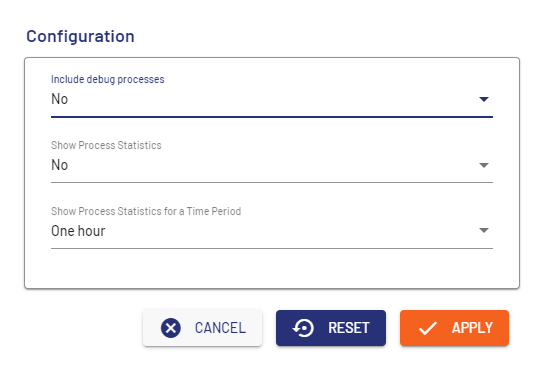
Element | Description |
|---|---|
Include debug processes | Select if you want to display executed process instances in Debug mode. Possible values:
|
Show Process Statistics | Select whether to load statistics for the processes Possible values:
|
Show Process Statistics for a Time Period | Select the period for which the statistics are to be displayed Possible values:
|
Cancel | Cancels the definition of settings. |
Reset | Resets the defined settings. |
Apply | Applies the defined settings. |