
Connecting your own Keycloak installation
If the included Keycloak installation is to be replaced by your own Keycloak installation, a Keycloak configuration file must be created in the server directory under \configuration\keycloak_config.json.
The configuration is done in the connection element.
Example
CODE
{
    "connection": {
        "realm": "X4Realm",
        "auth-server-url": "http://<host>:<port>/auth/",
        "resource": "X4",
        "credentials": {
            "secret": "XXXX"
        }
    }
}
The following roles must be created in Keycloak:
| Role | Description |
|---|---|
| x4_admin_access | Gives access to the X4 ReST API. |
| x4_control_center | Gives access to the X4 Control Center (in future). |
| x4_dev_access | Gives access to the X4 Designer. |
| x4_dev_access_* | Gives access to all X4 Repositories. |
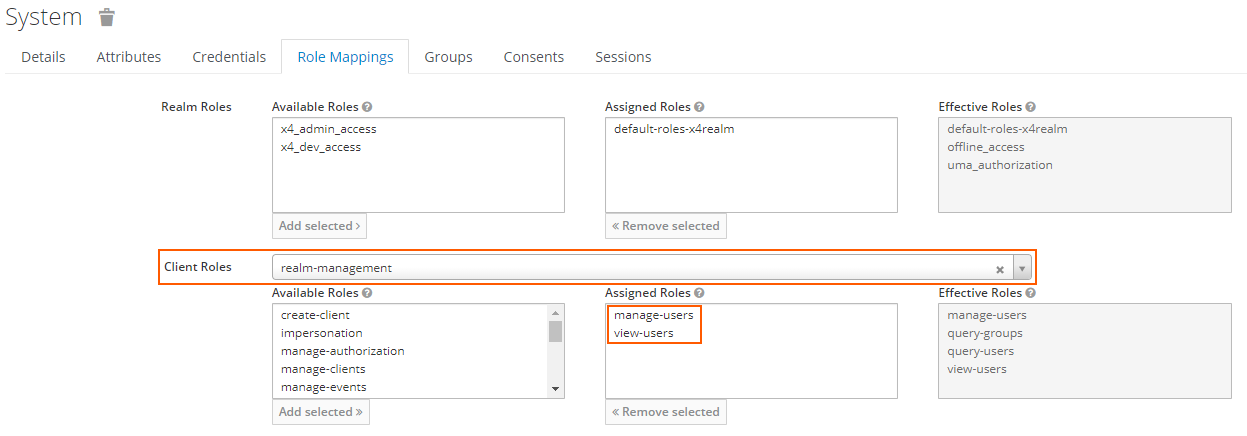
To use the X4 ReST API, the following rights must be granted to the corresponding user:
| Client Roles |
|
|---|---|
| Assigned Roles |
|

For more information on the configuration file, see https://www.keycloak.org/docs/latest/securing_apps/index.html#_java_adapter_config.